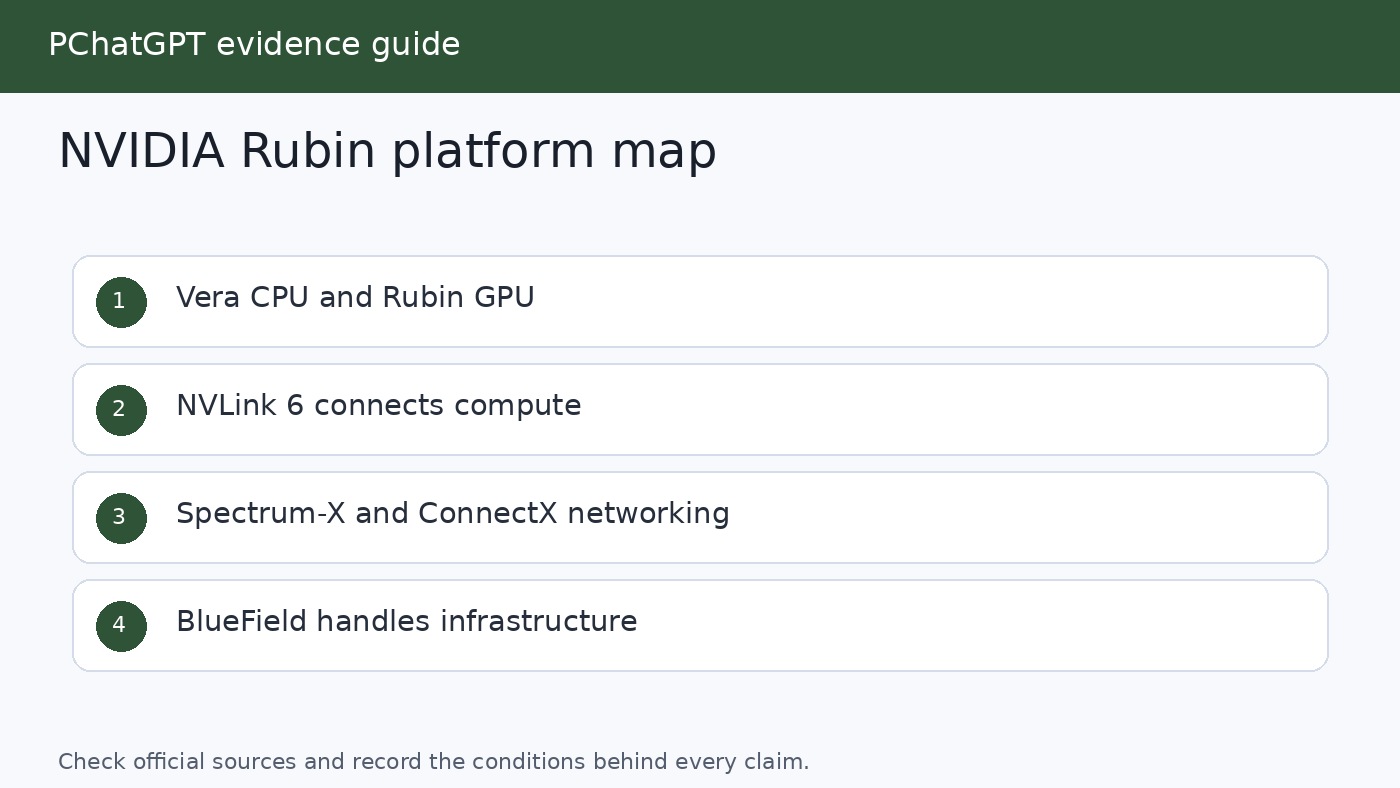
NVIDIA Rubin architecture is not simply the name of one new GPU. NVIDIA uses Rubin to describe a coordinated data center platform built around the Rubin GPU, Vera CPU, NVLink 6 fabric, ConnectX-9 SuperNIC, BlueField-4 DPU, and Spectrum-6 Ethernet switch. That distinction matters. The company is pitching the data center, rather than an isolated processor, as the unit of AI computing.
The story also changed as NVIDIA moved from roadmap disclosure to production planning. At GTC in March 2025, NVIDIA identified Vera Rubin as an upcoming architecture in its annual infrastructure cadence. At CES on January 5, 2026, it formally launched Rubin as a six-chip platform and said Rubin-based partner products would arrive in the second half of 2026. At GTC in March 2026, NVIDIA widened the system description to seven chips by adding the Groq 3 LPU, arranged across five purpose-built rack types. By May 31, it said the platform was ramping into full production and that production shipments were set to begin in the fall.
This updated guide keeps that chronology intact while separating shipped facts, architectural descriptions, and NVIDIA’s own performance projections. It explains what each major component does, which system forms NVIDIA has described, and what buyers should verify before treating a headline number as a result for their own workload.
Rubin’s place in NVIDIA’s architecture roadmap
NVIDIA named the platform for Vera Florence Cooper Rubin, the American astronomer whose observations helped transform scientific understanding of dark matter. The name follows NVIDIA’s pairing of a CPU and GPU identity in a larger platform: Vera is the CPU, Rubin is the GPU, and Vera Rubin is the integrated system family.
The historical starting point is important because early coverage often treated Rubin as a distant GPU codename. NVIDIA’s GTC 2025 recap was more specific about strategy than product specifications. It said the company would follow an annual rhythm for AI infrastructure and placed Vera Rubin after Blackwell and Blackwell Ultra. The emphasis was already broader than a faster accelerator. NVIDIA discussed GPUs, CPUs, networking, photonics, and storage as linked parts of the same data center roadmap.
CES 2026 supplied the first full launch description. NVIDIA called Rubin its first “extreme codesigned” six-chip AI platform and the successor to Blackwell. The phrase extreme codesign is marketing language, but it points to a concrete engineering idea: compute, memory movement, scale-up links, scale-out networking, storage offload, security, cooling, and software are designed together so that one layer is less likely to starve another.
The platform continued to evolve in NVIDIA’s public description. In March 2026, the company incorporated the Groq 3 LPU as a seventh chip and described five cooperating racks. That later announcement does not erase the six-chip CES launch. It records an expansion of the platform. Readers comparing January and March material should therefore look at publication dates instead of assuming one of the two component counts is a mistake.
What the six original Rubin platform chips do
The Rubin GPU is the primary accelerator for model training and inference. NVIDIA says it includes a third-generation Transformer Engine with hardware-accelerated adaptive compression and delivers 50 petaflops of NVFP4 compute for AI inference. NVFP4 is a low-precision format intended for high AI throughput. That 50 petaflop figure should not be read as universal application performance, nor should it be compared directly with a result measured at another precision.
The Vera CPU uses 88 custom NVIDIA Olympus cores and supports Armv9.2. Its role is not merely to boot the GPUs. NVIDIA positions it for data movement, orchestration, agentic reasoning support, reinforcement learning environments, and conventional data center work. NVLink-C2C provides the high-speed connection between CPU and GPU in supported Vera Rubin configurations.
NVLink 6 is the scale-up fabric that lets many Rubin GPUs operate as a closely connected compute domain. NVIDIA lists 3.6 TB/s of NVLink bandwidth per GPU and 260 TB/s across a Vera Rubin NVL72 rack. The switch fabric also includes in-network compute for collective operations. For large mixture-of-experts models, this communication layer can be as consequential as raw arithmetic throughput because experts, activations, and partial results must move quickly among accelerators.
The ConnectX-9 SuperNIC supports high-performance network connectivity, while the BlueField-4 DPU offloads infrastructure work and provides a programmable control point for networking, storage, isolation, and security. NVIDIA says BlueField-4 supports software-defined networking at up to 800 Gb/s. It is also central to NVIDIA’s Inference Context Memory storage approach, which is intended to share and reuse key-value cache data instead of repeatedly rebuilding context during long, multi-turn inference sessions.
The sixth original chip is the Spectrum-6 Ethernet switch. It is the basis of the Spectrum-X Ethernet Photonics systems NVIDIA designed for large Rubin deployments. The company’s May update said these co-packaged-optics switches, based on 200 Gb/s SerDes, had entered production. NVIDIA claims better power efficiency, uptime, and deployment time than networks built with traditional transceivers. Those are vendor comparisons, so a prospective operator should ask for the exact topology, optics assumptions, redundancy policy, and workload behind them.
From one rack to a five-rack AI system
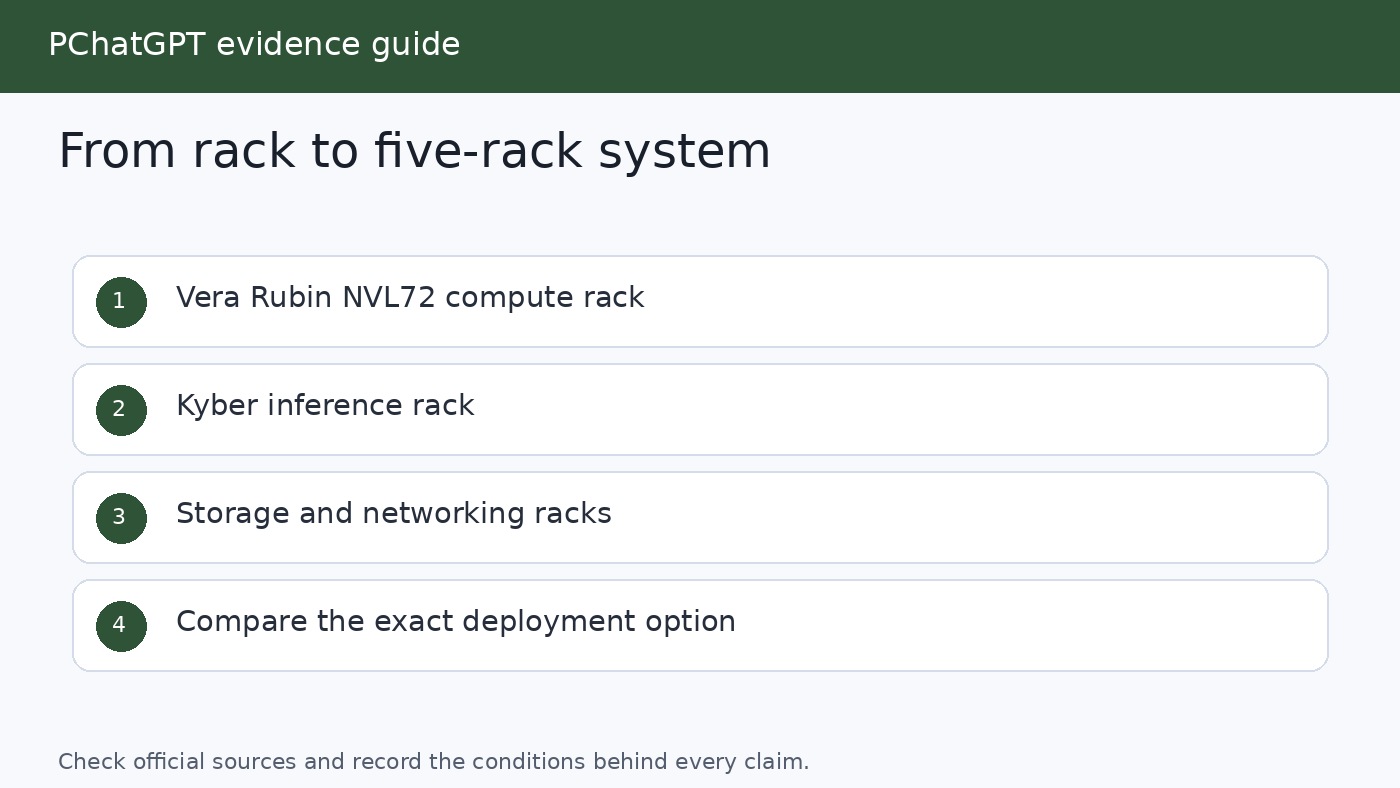
Vera Rubin NVL72 is the central GPU rack. NVIDIA specifies 72 Rubin GPUs and 36 Vera CPUs linked through NVLink 6, plus ConnectX-9 SuperNICs and BlueField-4 DPUs. Quantum-X800 InfiniBand or Spectrum-X Ethernet can then connect racks into a larger cluster. This split between scale-up and scale-out matters: NVLink creates a fast domain inside the rack, while the network fabric expands work across racks and facilities.
The March 2026 platform added four complementary rack types around NVL72. A Vera CPU rack contains 256 Vera CPUs and targets CPU-heavy environments used in reinforcement learning, tool execution, evaluation, data processing, and orchestration. NVIDIA’s product page says one rack supports more than 22,500 concurrent sandbox environments. This gives buyers a clue about the intended workload, but not a guarantee for every sandbox image or agent framework.
The Groq 3 LPX rack targets low-latency decode and very large contexts. NVIDIA says a rack contains 256 LPU processors, 128 GB of on-chip SRAM, and 640 TB/s of scale-up bandwidth. In the combined design, Rubin GPUs contribute high-bandwidth memory and parallel compute while LPUs target deterministic token generation. NVIDIA said LPX systems integrated with Vera Rubin were planned for the second half of 2026.
The Vera BlueField-4 STX storage rack is designed as an AI-native context memory tier. Large language model inference produces key-value cache data that can become expensive to store, move, and reconstruct, especially when agents retain long histories or run many branches. STX uses BlueField-4 and NVIDIA DOCA Memos software to make that context accessible across the pod. This does not turn storage into GPU memory in a literal hardware sense. It creates a managed tier intended to reduce context handling bottlenecks.
The fifth element is the Spectrum-6 SPX Ethernet rack, which handles high-volume traffic between racks. NVIDIA says it can be configured with Spectrum-X Ethernet or Quantum-X800 InfiniBand switches. Put together, these systems illustrate the real ambition of Vera Rubin: it is a pod-scale architecture in which specialized compute, CPU environments, inference acceleration, context storage, and networking cooperate.
NVL72, NVL8, and NVL4 serve different deployment needs
Not every organization will deploy the five-rack design. NVIDIA has announced several Rubin system forms. The flagship Vera Rubin NVL72 treats a rack as a unified accelerator. It is the configuration behind many of NVIDIA’s largest AI training and agentic inference claims.
HGX Rubin NVL8 links eight Rubin GPUs over NVLink and can pair with Vera or x86 CPU baseboards. NVIDIA positions it for generative AI, training, inference, and scientific computing in a more conventional server format. DGX Rubin NVL8 is NVIDIA’s own liquid-cooled system based on that eight-GPU approach, while DGX Vera Rubin NVL72 is the turnkey rack-scale product. The distinction between HGX and DGX is practical: HGX is a platform used by system builders, whereas DGX is an NVIDIA-branded integrated system.
Vera Rubin NVL4 connects four Rubin GPUs to two Vera CPUs through NVLink-C2C. NVIDIA introduced it for dense scientific computing and AI systems. Its June 2026 scientific computing announcement emphasized native FP64, CUDA-X libraries, direct liquid cooling, and configurations with up to 144 GPUs per rack. NVIDIA said NVL4-based systems from global manufacturers were expected in the fourth quarter of 2026.
These products should not be collapsed into one benchmark table without care. NVL72, NVL8, and NVL4 have different CPU pairings, density targets, interconnect domains, cooling needs, and intended workloads. A result quoted for the NVL72 rack is not automatically a result for one Rubin GPU or an NVL8 server.
The performance claims, read with the right qualifiers
NVIDIA’s January launch claimed up to a tenfold reduction in inference token cost and four times fewer GPUs to train mixture-of-experts models compared with Blackwell. Its March announcement described NVL72 as delivering up to ten times higher inference throughput per watt at one tenth the cost per token, while training large mixture-of-experts models with one fourth as many GPUs. In May, NVIDIA used a separate system-level measure, claiming ten times the agent throughput at scale compared with Grace Blackwell.
These statements are meaningful indicators of design goals, but the qualifiers carry weight. “Up to” describes a best observed or modeled case, not a floor. Cost per token depends on hardware price, utilization, power, cooling, software, model architecture, batch size, context length, service-level targets, and accounting method. Throughput per watt can change when a workload moves from prompt processing to token decode or spends more time calling external tools.
Precision is another key variable. Rubin’s headline 50 petaflops per GPU is an NVFP4 inference figure. Scientific simulations may require native FP64, where NVIDIA reports different measurements. Model quality controls also matter. A lower-precision run should be checked for accuracy, output consistency, and any extra calibration or retraining before its speed is compared with a higher-precision baseline.
For a fair evaluation, request the model name and version, parameter count, active mixture-of-experts parameters, input and output lengths, batch and concurrency settings, numerical precision, software versions, latency percentile, power boundary, and full system configuration. Ask whether the result is measured, projected, or simulated. Also ask whether networking, storage, and idle capacity are included in the cost model. NVIDIA itself states in its press releases that specifications, features, and availability can change, and that forward-looking statements are not guarantees.
Security, resilience, and cooling are part of the architecture
Rubin’s security story extends beyond a GPU feature. NVIDIA describes third-generation Confidential Computing across CPU, GPU, and NVLink domains in NVL72. Its May update said the system encrypts data across high-speed interconnects and supports hardware attestation. BlueField-4 and DOCA add multi-tenant isolation, policy enforcement, runtime threat detection, and infrastructure controls without assigning all of that work to host CPUs.
That is relevant for cloud and shared deployments, but buyers still need an operational threat model. They should verify which firmware, management controllers, network paths, storage tiers, and orchestration services are inside the attested boundary. Hardware capabilities do not remove the need for key management, patching, access control, logging, or tenant-level application security.
NVIDIA also describes a second-generation RAS engine spanning GPU, CPU, and NVLink. RAS means reliability, availability, and serviceability. Real-time health checks, fault tolerance, and proactive maintenance aim to keep a large system productive when individual components need attention. NVIDIA says the modular cable-free tray design can be assembled and serviced up to 18 times faster than Blackwell. Operators should validate service procedures with the actual system maker because rack integration and local facilities affect repair time.
Liquid cooling is not an optional footnote for these dense systems. NVIDIA’s Rubin product family and reference designs rely heavily on direct liquid cooling. A purchase plan therefore needs to include facility water temperature ranges, coolant distribution units, heat rejection, power delivery, floor loading, leak detection, redundancy, and maintenance skills. The accelerator invoice alone does not represent the deployment cost.
What the official rollout timeline actually says
The cleanest way to describe availability is as a sequence of dated NVIDIA statements. At GTC 2025, Vera Rubin was an upcoming generation on the roadmap. At CES on January 5, 2026, NVIDIA said Rubin was in full production and that partner products would be available in the second half of 2026. It named AWS, Google Cloud, Microsoft, OCI, CoreWeave, Lambda, Nebius, and Nscale among the first cloud providers expected to deploy Vera Rubin instances during 2026.
At GTC on March 16, NVIDIA said seven platform chips were in full production and again put partner availability in the second half of the year. On May 31, NVIDIA said Vera Rubin was ramping into full production across its manufacturing ecosystem and that production shipments were set to begin in the fall. On June 22, it gave the more specific Q4 2026 expectation for NVL4 systems from global manufacturers.
These milestones describe NVIDIA’s announced rollout, not universal customer access on one date. A cloud instance, an OEM server, an NVL72 rack, and an NVL4 scientific system can have different qualification and delivery schedules. Region, power availability, networking, liquid cooling readiness, and system integration may determine when a customer can run production work. NVIDIA’s own legal notes explicitly say release timing remains subject to change.
How readers and buyers should evaluate Rubin
Start with the workload rather than the architecture name. Training a sparse mixture-of-experts model, serving a low-latency coding assistant, running long-context agents, and executing FP64 climate simulation stress different parts of the platform. Rubin provides several system forms because no single rack layout is optimal for all of them.
Next, measure end-to-end behavior. An application can be GPU-fast but user-slow if retrieval, context loading, networking, or tool calls dominate. For agents, track successful completed tasks per unit of time and cost, not only raw tokens. For interactive inference, include time to first token and tail latency. For training, include checkpointing, failure recovery, and achieved utilization. For science, validate numerical accuracy and the libraries used.
Finally, compare Rubin with feasible alternatives at the same service level. That may include current cloud accelerators, a smaller on-premises system, or local models for private and bounded jobs. Our guide to local LLM tools and models helps frame the smaller-scale option, while the AI tools selection guide focuses on matching products to actual needs. Rubin is infrastructure for demanding data center workloads. It is not a consumer GPU announcement and does not by itself tell an individual which AI application will be most useful.
The grounded conclusion is more interesting than “a faster GPU.” NVIDIA Rubin architecture represents a move toward specialization at pod scale. GPUs, CPUs, low-latency inference processors, context storage, scale-up links, scale-out fabrics, security, cooling, and management are being treated as one production system. Whether that system delivers the advertised advantage for a buyer can only be established with workload-matched measurements and a complete cost boundary.
Frequently Asked Questions
Is NVIDIA Rubin a single GPU architecture or a complete platform?
Rubin is the GPU architecture, but NVIDIA commonly uses the Rubin or Vera Rubin name for a broader platform. The original CES 2026 platform joined six chips: Vera CPU, Rubin GPU, NVLink 6 switch, ConnectX-9 SuperNIC, BlueField-4 DPU, and Spectrum-6 Ethernet switch. NVIDIA later expanded the platform description with the Groq 3 LPU and five cooperating rack types.
When are NVIDIA Rubin systems expected to be available?
NVIDIA said partner products would begin appearing in the second half of 2026. Its May 31 update said production shipments were set to begin in the fall, and its June scientific computing announcement placed NVL4 systems in Q4 2026. Actual access depends on the product, partner, cloud, geography, and data center readiness. These are announced timelines and remain subject to change.
What is the difference between Vera Rubin NVL72 and Rubin NVL8?
Vera Rubin NVL72 is a rack-scale system with 72 Rubin GPUs and 36 Vera CPUs connected by NVLink 6. HGX Rubin NVL8 links eight Rubin GPUs and supports Vera or x86 CPU baseboards in a server-oriented form. NVL72 targets a large unified compute domain, while NVL8 gives system builders a smaller building block for training, inference, and scientific computing.
Does NVIDIA’s tenfold cost claim apply to every AI workload?
No. NVIDIA describes an “up to” tenfold reduction in inference token cost versus Blackwell under its comparison conditions. Real cost depends on model, precision, context, batching, utilization, power, software, latency target, networking, and storage. Buyers should request the benchmark methodology and reproduce a representative workload before using that multiplier in a budget.
Sources
- NVIDIA Vera Rubin Platform overview
- NVIDIA Rubin six-chip platform launch, January 5, 2026
- NVIDIA Vera Rubin seven-chip and five-rack platform update, March 16, 2026
- NVIDIA Vera Rubin production ramp update, May 31, 2026
- NVIDIA Vera Rubin scientific computing announcement, June 22, 2026
- NVIDIA GTC 2025 roadmap recap
Related update: AI Enters New Phase: From Instrument to Partner in 2026.