
How to Write Better ChatGPT Prompts for More Accurate Answers
A better ChatGPT answer usually begins with a better definition of the job. The useful question is not, “What magic words make the model accurate?” It is, “What information would a capable assistant need to complete this task well, and how will I check the result?” That shift matters because a polished answer can still misunderstand your goal, rely on missing context, or state an unsupported claim.
OpenAI’s official guidance consistently recommends clear, specific requests, enough context, appropriate scope, and iterative refinement. None of those practices guarantees truth. They do, however, reduce avoidable ambiguity and make errors easier to spot. This guide turns that advice into a practical workflow you can use for writing, research, planning, analysis, and everyday questions.
Accuracy starts with a well-defined task
“Accurate” can mean several things. A factual answer should be supported by reliable evidence. A summary should faithfully represent the supplied document. A calculation should use the right inputs and method. A recommendation should fit your stated priorities. A piece of writing may be factually sound but still fail because it addresses the wrong audience or uses the wrong format.
Before writing a prompt, finish this sentence: “I need ChatGPT to produce [deliverable] so that [audience or decision] can [goal].” For example, “I need a one-page comparison of these three supplier proposals so our operations manager can choose which two deserve interviews.” This is much more actionable than “Compare these suppliers.” It establishes the output, reader, and purpose without resorting to elaborate prompt jargon.
OpenAI’s ChatGPT Enterprise Prompting Guide says there is no single perfect prompt template. It advises treating a prompt like a handoff to a capable new intern who does not yet know the project, preferences, or standards. That is a useful mental model. Include what the assistant needs to know, but do not bury the task beneath irrelevant history.
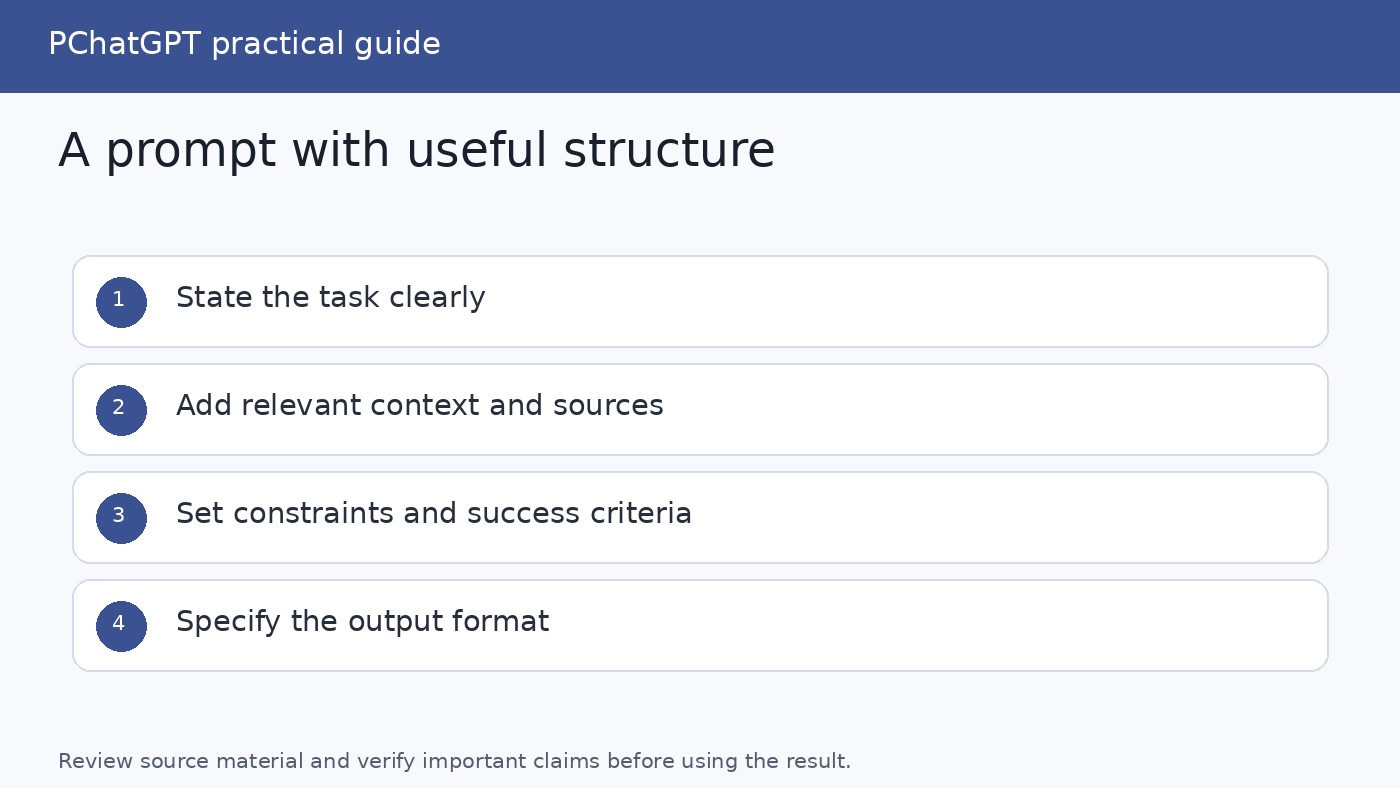
A practical structure for better ChatGPT prompts
For anything more involved than a simple question, build the prompt from five parts. You do not have to use all five every time. The structure is a checklist, not a ritual.
1. Context
State the background that changes the answer. Useful context can include your audience, location, skill level, available source material, prior decisions, definitions, or the reason you need the result. “Explain compound interest” is workable. “Explain compound interest to a 16-year-old who understands percentages but has not studied investing” gives ChatGPT a much clearer target.
Distinguish context from decoration. A long biography of your company does not help if you only need an email subject line. Include details that affect content, reasoning, terminology, or tone. If information is essential and private, consider whether it should be shared at all. Replace names, credentials, customer records, and confidential numbers with safe labels where possible.
2. The task
Use a direct verb and name one primary deliverable: summarize, compare, classify, rewrite, extract, explain, critique, or draft. “Help with this report” makes ChatGPT infer the action. “Summarize the attached report for a board member” removes that uncertainty.
If the job contains several distinct stages, do not force them into one enormous request. OpenAI recommends right-sizing complex tasks and splitting workflows into focused follow-up prompts. You might ask for an outline, correct it, request a draft, and then run a separate review. This gives you an approval point before each expensive or consequential step. For more examples of staged workflows, see this practical ChatGPT how-to guide.
3. Source material
Provide the text, file, data, or links the answer should rely on when the task depends on specific evidence. Then state the evidence boundary explicitly. For example: “Use only the attached policy. Do not add general employment-law advice. If the policy does not answer a question, write ‘Not specified.’” That instruction makes omissions visible instead of inviting a plausible guess.
Separate instructions from source material with headings or clear delimiters. A simple layout such as “Context,” “Task,” “Source,” and “Requirements” helps both you and ChatGPT see where each part belongs. If a source contains instructions of its own, make clear whether they are content to analyze rather than directions to follow.
4. Constraints and success criteria
Constraints define what the answer must and must not do. Specify the audience, length, tone, date range, jurisdiction, required topics, prohibited assumptions, and citation expectations only when they matter. Prefer observable requirements over vague praise. “Make it excellent” offers little guidance. “Use plain English, define technical terms on first use, and keep the response under 600 words” can be checked.
Tell ChatGPT how uncertainty should appear. Useful requirements include: label assumptions, distinguish facts from recommendations, identify missing inputs, quote only text present in the source, and say when the evidence is insufficient. These do not make every claim correct. They make the response more inspectable.
5. Output format
Name the form you can actually use: a table with specified columns, numbered steps, a short brief, JSON with named fields, or an email with a subject line. If order matters, define it. If you need alternatives, request a fixed number and criteria for comparing them.
Format is not merely cosmetic. It can expose gaps. A comparison table with one row per option and columns for price, source date, limitation, and missing information makes unsupported conclusions easier to notice than a flowing paragraph does.
A reusable prompt template
# Context
I am [role or situation]. The answer is for [audience] and will be used to [goal or decision].

# Task
Create [one primary deliverable].

# Source material
Use [attached text, supplied data, or named sources].
Do not rely on information outside these sources unless I explicitly ask.

# Requirements
- Cover [required points].
- Use [tone and level of detail].
- Label assumptions and missing information.
- Do not invent facts, quotations, dates, or citations.

# Output
Return [format, sections, length, or fields].
Replace the brackets with real information and delete irrelevant lines. More text is not automatically better. The goal is enough precision to define success. If you want ready-made ideas for routine tasks, the site’s collection of ChatGPT prompts for daily productivity offers practical starting points that you can adapt with your own context.
Improve weak prompts by removing ambiguity
Consider the weak request, “Write about our new service.” ChatGPT has to guess the audience, purpose, service details, channel, length, and allowable claims. A stronger version would be:
Draft a 250-word website introduction for small accounting firms evaluating our document-review service. Use only the product notes pasted below. Explain the problem, the three listed capabilities, and the next step. Use a professional, plain-English tone. Do not claim that the service saves a specific amount of time because the notes provide no measured result. End with one call to action.
The improvement does not come from assigning an impressive persona or adding theatrical language. It comes from giving the model the decision-relevant facts and a testable definition of the output.
Roles can still help when they clarify perspective or standards. “Review this as a procurement manager concerned with renewal terms and data handling” identifies a lens. “You are the greatest genius in the world” does not supply knowledge, evidence, or acceptance criteria. Use a role to narrow attention, not to manufacture authority.
Use iteration instead of searching for a perfect first prompt
OpenAI explicitly recommends iterative refinement: start, inspect the response, then adjust wording, context, scope, or complexity. Treat the first response as a draft or diagnostic. It reveals what ChatGPT understood and where your request was underspecified.
A useful refinement cycle has four moves:
- Inspect: Compare the response with your success criteria. Mark omissions, unsupported claims, unwanted tone, and misunderstood terms.
- Correct: Supply the missing fact or point to the exact sentence, section, or assumption that needs repair.
- Narrow: Split an overloaded job into smaller deliverables. Ask for the comparison before the recommendation, or the outline before the article.
- Recheck: Review the revised output from the beginning. A local edit can introduce a contradiction elsewhere.
Specific follow-ups beat “Try again.” Say, “The analysis treats setup cost and annual cost as the same metric. Rebuild the table with separate columns, using only the quoted proposal figures.” If the response chose the wrong reading of an ambiguous term, define it. If it is too broad, state what to omit.
You can also ask ChatGPT to help clarify the prompt before attempting the task. Give it your rough notes and ask it to list missing decisions or ask a small set of necessary questions. OpenAI’s enterprise guide calls this meta-prompting. It can improve the handoff, but it does not replace subject knowledge or trustworthy source material.
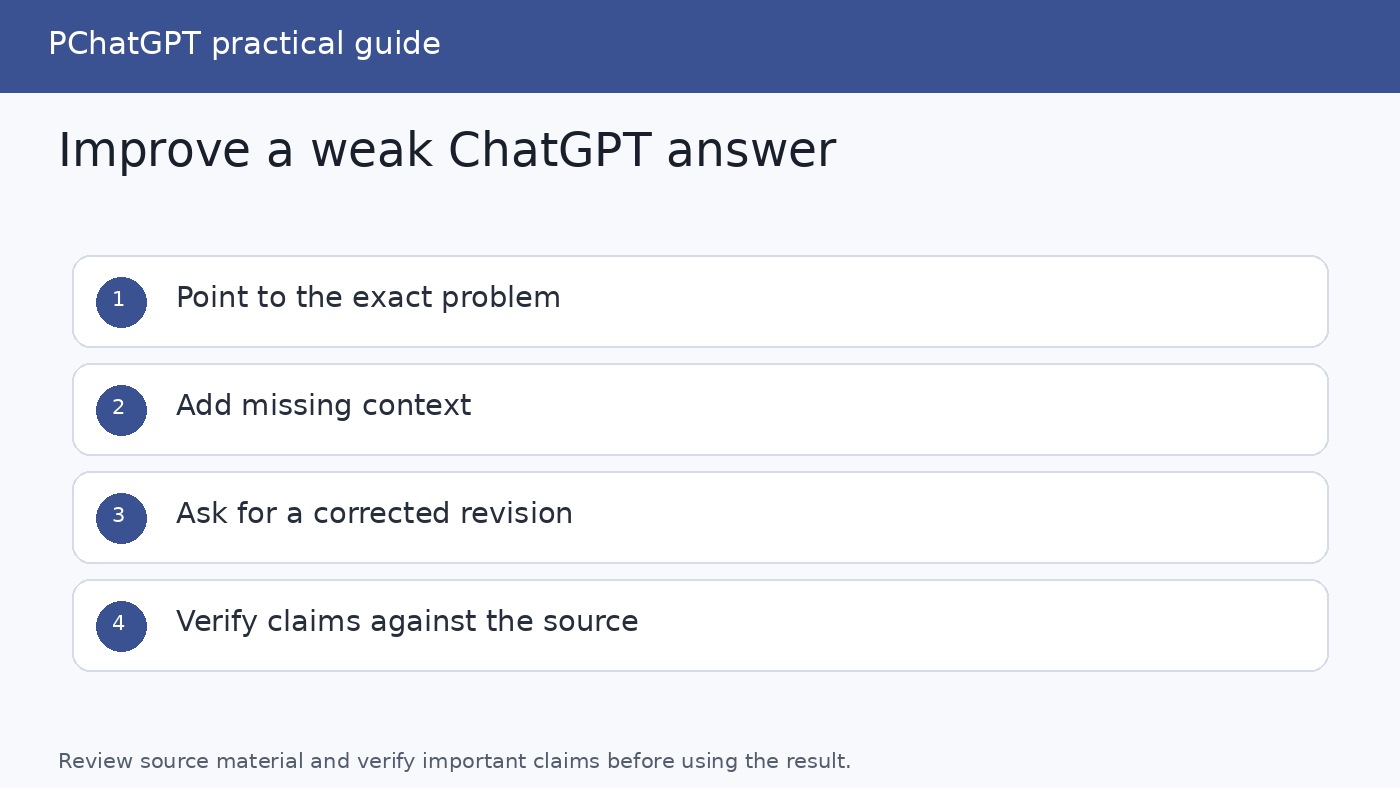
Build verification into the request and the workflow
A request such as “Be accurate” is not a verification method. Ask for outputs that let you inspect the basis of the answer. When working from a document, request page, section, or quotation support for important claims. When current external facts matter, ask for source links and publication dates, then open those sources yourself. Check that each source exists, supports the nearby claim, and is authoritative for the topic.
For a high-value task, create a small set of known-answer questions or representative cases and compare responses against the answers. OpenAI’s enterprise guide recommends a small evaluation for accuracy-sensitive work. Do not report a made-up success percentage or treat a handful of cases as universal proof. Record the prompt, source set, expected answer, actual answer, and failure type. That gives you evidence for improving a repeated workflow.
A separate critique pass can also help. Ask ChatGPT to check the output for accuracy, completeness, format, tone, assumptions, contradictions, and claims unsupported by the supplied material. This is an additional review, not independent confirmation. The same model can overlook its own error. For consequential medical, legal, financial, safety, or business decisions, use qualified human review and authoritative primary sources.
Custom instructions, chat prompts, and memory are different
Use the current chat prompt for requirements unique to the immediate task, such as the source document, deadline, audience, exact output, or facts that changed today. This local context should override the temptation to put every preference into a permanent setting.
Custom instructions are for explicit guidance you want ChatGPT to consider broadly, such as “Use concise headings,” “Define acronyms,” or “When information is missing, ask rather than assume.” OpenAI says custom instructions apply across chats and can be edited or removed for future conversations. Because they are broad, avoid placing task-specific facts there, and periodically remove outdated or conflicting preferences.
Memory is distinct. OpenAI describes custom instructions as direct guidance about what you want ChatGPT to know and how to respond, while memory can retain relevant information shared through conversations when enabled. Availability and controls can vary by account or product experience. Neither feature is a substitute for including decisive, current facts in the prompt. If a detail must govern the answer, state it directly in that conversation.
For API use, do not confuse the ChatGPT interface feature with developer controls. OpenAI’s Custom Instructions help article says the comparable mechanism in the Chat Completions API is a system message, rather than a Custom Instructions API.
Know what prompting cannot fix
A strong prompt cannot provide missing evidence, guarantee a current fact, or turn a language model into an authoritative witness. ChatGPT may produce an answer that is coherent and wrong. It may misread a source, omit a condition, invent a citation, make an arithmetic mistake, or apply an outdated assumption. Confidence and fluency are not proof.
Prompting also cannot resolve an objective you have not defined. If you ask for the “best” option without stating whether you prioritize cost, speed, privacy, quality, or risk, the model must choose a standard for you. Supply a ranking rubric or ask for tradeoffs instead of a single winner.
Do not ask ChatGPT to cite sources that it cannot access and then assume the resulting citations are real. Provide the sources, use an appropriate search or research capability when available, and verify links and quotations. Do not paste secrets or unnecessary personal information merely to create richer context. Accuracy is valuable, but data minimization still matters.
A final checklist before you use the answer
- Is the primary task stated with a clear verb and deliverable?
- Does the prompt name the audience and purpose when they affect the result?
- Did you provide the facts or source material the task requires?
- Are scope, constraints, and the meaning of success observable?
- Does the requested format make missing evidence easy to see?
- Are assumptions, uncertainties, and unavailable information labeled?
- Did you split unrelated or overloaded work into stages?
- Have you checked important claims against authoritative sources?
- Have you reviewed dates, numbers, quotations, links, and calculations yourself?
- For high-stakes use, has an appropriate expert reviewed the result?
The most dependable prompting habit is simple: define the work, provide the relevant evidence, inspect the response, and refine it with specific corrections. Better wording helps, but a better process matters more.
Frequently asked questions
Do longer ChatGPT prompts always produce more accurate answers?
No. A prompt should contain enough relevant context and constraints to define the task, but irrelevant detail can obscure the main request. Prefer a focused prompt with a clear deliverable, evidence boundary, and output format. Split a large workflow into follow-ups when it contains several distinct jobs.
Should I tell ChatGPT to say “I don’t know”?
It can be useful to require ChatGPT to label missing information, uncertainty, and assumptions rather than fill gaps. That instruction does not guarantee that every unsupported claim will be caught. Verify important claims independently and ask for traceable support from the provided sources.
When should I use custom instructions instead of putting instructions in a prompt?
Use custom instructions for broad, recurring preferences you want considered across chats. Put task-specific facts, sources, deadlines, formats, and decision criteria in the current prompt. Review persistent instructions periodically because an old preference can conflict with a new task.
Can ChatGPT verify its own answer?
It can critique an answer, identify possible gaps, and compare the output with a checklist or supplied source. That is helpful, but it is not independent verification. Open cited sources, confirm quotations and dates, test calculations, and involve a qualified person when the consequences are significant.