Better ChatGPT answers start with a question that defines the job. You do not need secret wording or a giant prompt. You need to tell ChatGPT what you want, provide the context it cannot know, set the limits that matter, and describe a useful result. Then you need to review the answer instead of treating fluent prose as proof.
This guide shows how to ask ChatGPT better questions with a practical six-part method. It includes weak and improved examples for writing, research, planning, learning, and troubleshooting. It also explains when a short question is enough, when to use follow-ups, and how to request sources without assuming every citation is correct.
Quick answer: use the GOALER question method
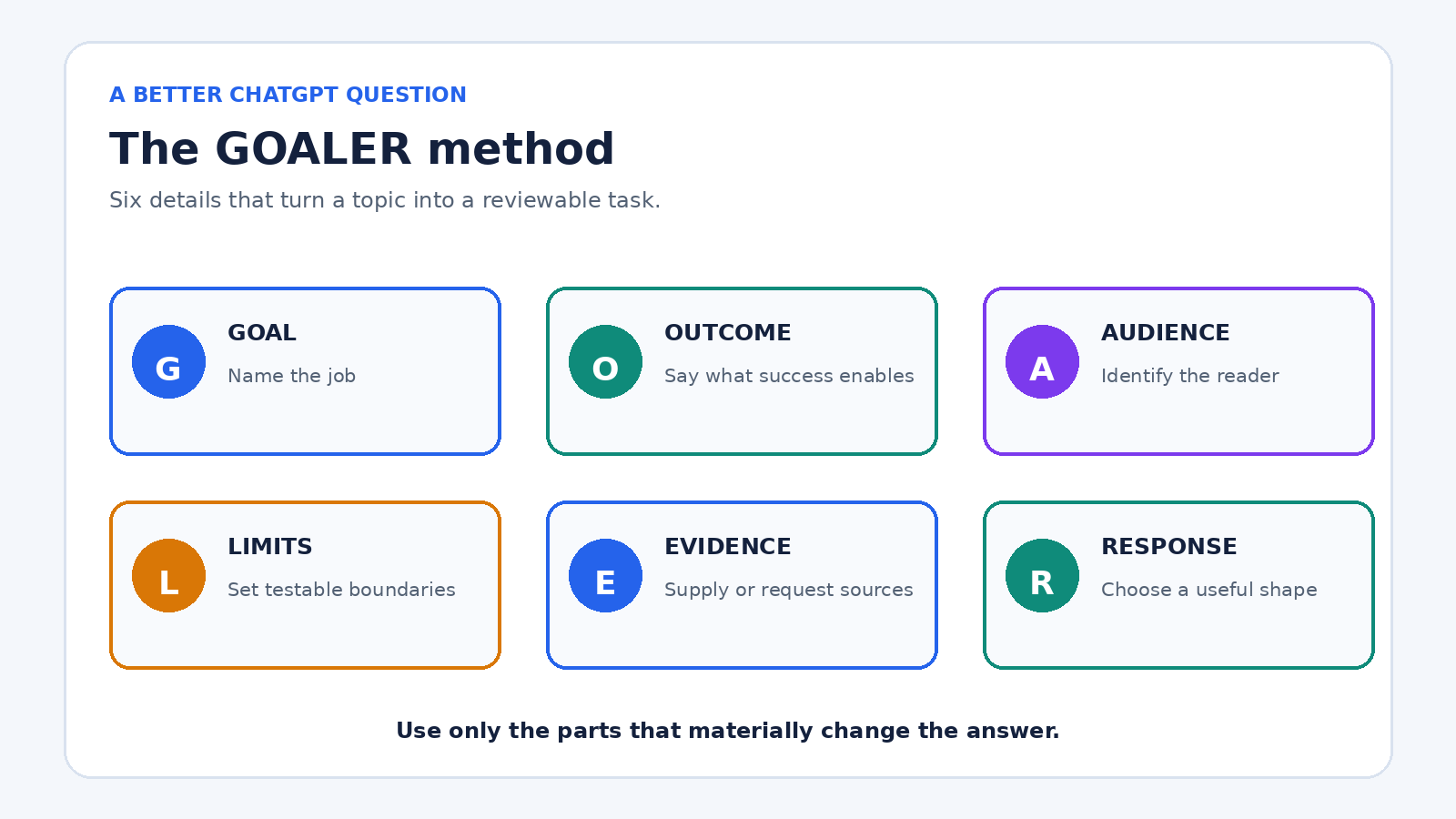
Before sending an important question, include the parts of GOALER that matter:
- Goal: State the decision, document, explanation, or action you need.
- Outcome: Describe what the finished answer should help you do.
- Audience: Name who will read or use the result.
- Limits: Set boundaries such as length, deadline, budget, tone, or facts that must remain unchanged.
- Evidence: Provide source material or ask for current, cited information when needed.
- Response shape: Request a table, checklist, email, explanation, questions, or another useful format.
A compact example is: “Help me compare these three laptops for a student who edits short videos. Budget is $1,200. Use the specifications I paste below, flag missing details, and return a table plus a recommendation with two tradeoffs.” The method works because it replaces guessing with requirements. OpenAI’s prompt engineering guidance for ChatGPT likewise recommends clear, specific prompts, enough context, iterative refinement, and explicit tone.
Why vague questions produce plausible but unhelpful answers
ChatGPT must fill gaps when a request leaves out the audience, purpose, evidence, or constraints. “Write a project plan” could refer to a school assignment, a software migration, or a kitchen renovation. A polished generic plan may still be useless because it solves a different problem from yours.
Specificity does not mean adding every possible detail. It means supplying details that change the answer. The color of your notebook probably does not matter to a study plan. Your exam date, available hours, topics, and current confidence do. Ask yourself: if this detail changed, would a good answer change? If yes, include it.
There is another reason to define success. ChatGPT can produce an answer that sounds complete while containing mistakes. OpenAI’s guide on whether ChatGPT tells the truth says the system can produce incorrect facts, fabricated references, and overconfident answers. A better question can reduce ambiguity, but it cannot guarantee accuracy. Important claims still need verification.
Step 1: name the real goal
Start with the work you are trying to complete, not merely the topic. “Tell me about customer retention” names a subject. “Help me identify three reasons our trial users do not convert, using the survey comments below” names a job.
If you are unsure of the job, ask ChatGPT to help define it before requesting a final answer:
“I need to improve a weekly team meeting, but I am not sure whether the problem is the agenda, preparation, or follow-through. Ask me five diagnostic questions, one at a time. After my answers, summarize the likely problem and suggest what to test first.”
This is often more useful than asking for “meeting tips.” It gives the conversation a decision point and prevents a long list of generic advice.
Step 2: provide only the context that affects the answer
Useful context can include your starting point, available materials, prior attempts, audience knowledge, location, date, or software environment. Put source text close to the instruction that refers to it, and label it clearly. For a long document, say which section matters and what ChatGPT should do if the answer is not present.
For example, replace “Summarize this report” with:
“Summarize the report below for a department manager who has not read it. Focus on costs, delivery risks, and decisions due this month. Keep the summary under 250 words. Do not add facts from outside the report. End with a three-item action list, and label any missing owner or date as ‘not specified.’”
Do not paste passwords, private client records, health details, or other sensitive material just to improve context. Redact names and identifiers, use representative sample data, or describe the structure instead. Better prompting is not worth unnecessary exposure.
Step 3: make constraints testable
“Keep it concise” is open to interpretation. “Use 120 to 160 words” is testable. “Make it professional” may help with tone, but “write for a customer whose delivery is late, acknowledge the delay without admitting an unverified cause, and avoid legal jargon” gives the tone a purpose.
Strong constraints often cover four areas:
- Scope: What to include and exclude.
- Accuracy: Which facts must be preserved and how uncertainty should be marked.
- Style: Reading level, voice, and terms to avoid.
- Delivery: Length, format, order, and deadline.
Avoid stacking conflicting instructions. “Explain every detail in 50 words” forces a tradeoff. Choose the priority or tell ChatGPT what to sacrifice first: “Stay under 200 words. If everything will not fit, cover the decision and main risk, then list omitted topics.”
Step 4: request an answer shape you can use
The right format depends on what happens next. A table is useful for comparing options, but poor for a nuanced argument. A checklist supports execution. A short memo supports a decision. A set of flash cards supports recall. Ask for the format that reduces your next editing step.
Specify columns when requesting a table. Instead of “compare these tools,” ask for columns named price from supplied data, required setup, strongest use case, limitation, and unanswered question. If you need machine-readable output, describe the exact fields and allowed values. For ordinary ChatGPT use, a simple example of the desired layout is often enough.
You can find reusable structures in our guide to ChatGPT prompts for daily productivity. Reuse the structure, but update the context and limits for each real task.
Step 5: ask for assumptions, uncertainty, and questions
A good question tells ChatGPT what to do when information is missing. Otherwise, the model may choose a reasonable assumption without making that choice obvious. Add one of these instructions:
- “List your assumptions before the recommendation.”
- “If a required fact is missing, ask me up to three questions before drafting.”
- “Separate facts from inferences and suggestions.”
- “For each option, state the strongest reason it may be wrong for this situation.”
- “Do not invent a quote, statistic, source, price, or date.”
Asking for questions is especially valuable when the task has hidden dependencies. For a travel plan, dates, departure city, mobility needs, and budget can change everything. For code troubleshooting, the exact error, versions, operating system, expected behavior, and minimal reproducible example matter more than a long description of frustration.
Step 6: improve the answer with focused follow-ups
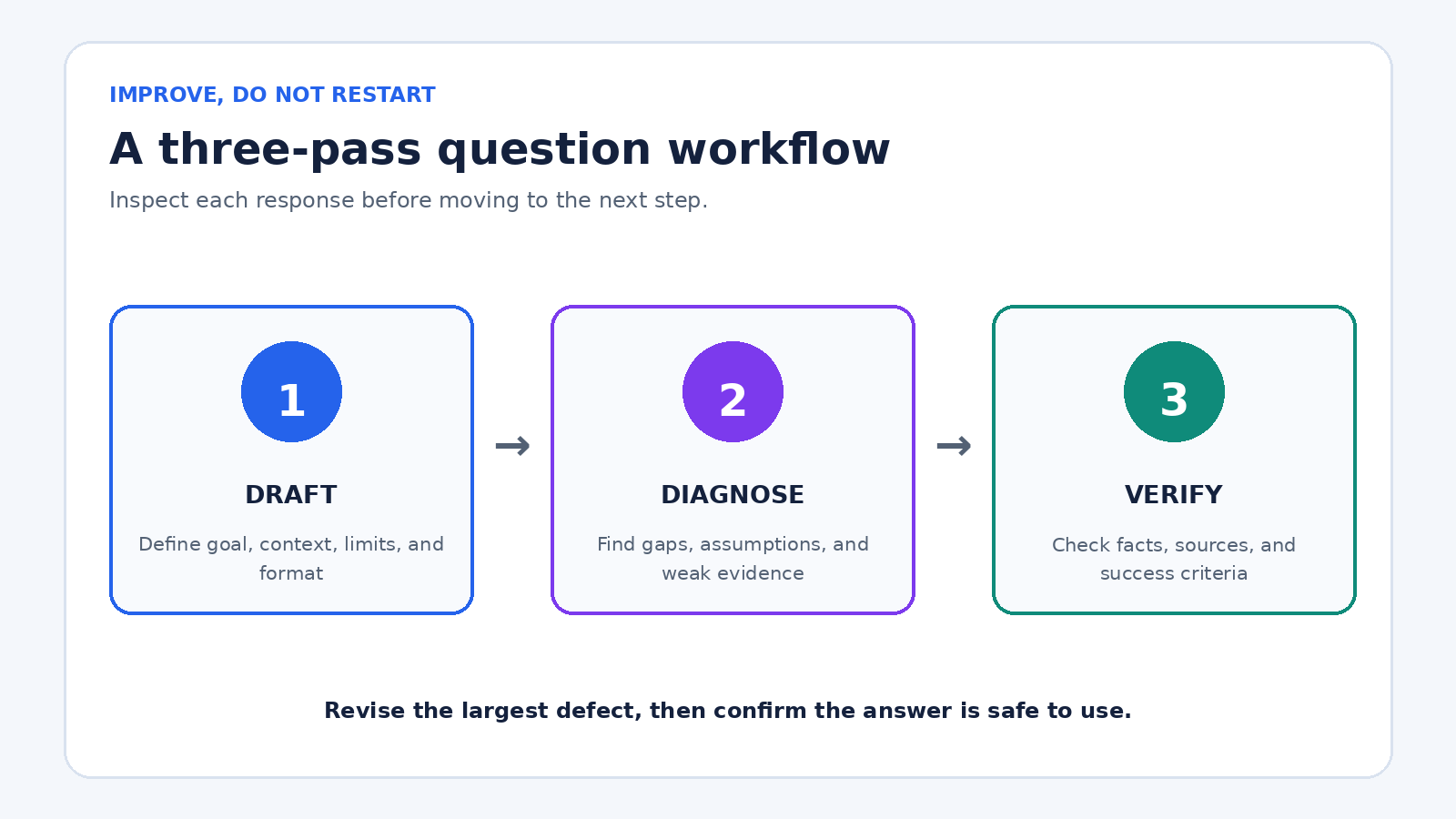
Do not restart from scratch whenever the first response misses the mark. Identify the largest defect and correct it. OpenAI describes prompting as iterative: review the response, then adjust wording, context, or scope. A useful three-pass sequence is:
- Draft: Ask for the first useful version with clear requirements.
- Diagnose: Ask what is missing, weak, assumed, or unsupported.
- Verify: Check important facts and revise against a concrete checklist.
Focused follow-ups include “The recommendation ignores the two-hour weekly limit. Revise the schedule without changing the deadline,” or “Show which claims came directly from my notes and which are your inferences.” These instructions preserve useful work while correcting a specific problem.
For a complex assignment, divide the conversation into stages: clarify the brief, outline, draft, critique, revise, and check. Our guide to prompt chaining in ChatGPT explains that workflow in more detail. The key is to make each stage produce something you can inspect before proceeding.
How to ask better questions for five common tasks
Writing: Weak: “Write an email about the delay.” Better: “Draft a 130-word email to a returning customer whose order is five days late. Use a calm, accountable tone. State the revised delivery date from my note, offer the listed refund option, and do not invent a cause. Include a clear subject line.”
Learning: Weak: “Teach me statistics.” Better: “Teach me the difference between correlation and causation at an introductory college level. Start with one everyday example, then explain the distinction, quiz me with three scenarios one at a time, and correct my reasoning after each answer.”
Planning: Weak: “Make a marketing plan.” Better: “Create a four-week launch plan for the local workshop described below. One person has six hours a week and a $400 ad budget. Return weekly priorities, deliverables, budget, and one success measure. Flag anything that depends on audience size because I have not supplied it.”
Research: Weak: “What are the latest battery rules?” Better: “Search for battery transport rules currently applicable to a small UK retailer shipping to Germany. Prefer regulator and carrier sources, give the publication or update date, link every major claim, and separate legal requirements from carrier policy. Tell me what still needs professional confirmation.”
Troubleshooting: Weak: “Why does my script fail?” Better: “Diagnose the Python error below on Ubuntu. Expected behavior is X; actual behavior is Y. I use Python version Z and package version Q. First explain the most likely cause in plain English. Then give the smallest change to test. Do not rewrite unrelated code. If the evidence is insufficient, ask for the exact diagnostic output you need.”
When to use ChatGPT search and how to request sources
Use search for questions that depend on current facts, recent events, prices, schedules, regulations, product availability, or a niche source. OpenAI’s current ChatGPT search documentation says ChatGPT may search automatically or users can select Search. It also warns that search results and citations can be incomplete, outdated, or incorrect.
A strong research question names the date range, location, preferred source type, and verification standard. Try: “Find the current application deadline for this program for the 2026 intake. Use the program’s official site as the primary source, quote the relevant sentence, link the page, and state the page’s update date if shown. If official pages conflict, present both instead of choosing silently.”
Then open the sources. Confirm that a cited page exists, supports the nearby claim, applies to your location and date, and is authoritative for that question. Search makes source checking possible; it does not make source checking optional.
Use custom instructions for stable preferences, not task details
If you repeatedly request the same language, tone, units, or response style, custom instructions can reduce repetition. OpenAI’s custom instructions documentation says they let you share preferences ChatGPT should consider and that they can be edited or removed for future conversations.
Keep permanent preferences broad and stable: “Use plain English, metric units, and concise headings. Distinguish confirmed facts from suggestions.” Put changing facts in the current question: client name, budget, source text, deadline, and deliverable. If you need help setting them up, see our practical ChatGPT custom instructions guide.
A reusable question template
“My goal is [decision or deliverable]. The result will be used by [audience] to [outcome]. Use this context: [relevant facts or source material]. Follow these limits: [scope, length, deadline, tone, facts to preserve]. Return [format and sections]. If essential information is missing, [ask questions or label the gap]. Separate [facts, assumptions, and recommendations as appropriate]. Before finishing, check the answer against [success criteria].”
Do not force every quick question into this full template. “Convert 350°F to Celsius” needs little context. The template earns its keep when the answer will be published, sent to someone, used for a decision, or difficult to correct later.
A final quality check before you use the answer
- Does the answer solve the stated goal rather than merely discuss the topic?
- Did it follow the audience, scope, length, tone, and format requirements?
- Are important facts traceable to your material or a source you opened?
- Are assumptions and missing information visible?
- Does it contain names, figures, quotations, links, or dates that need checking?
- Could bias, omitted alternatives, or an oversimplified explanation change the decision?
- Have you removed private information before sharing or saving the conversation?
- What human judgment is still required before acting?
The best ChatGPT question is not necessarily the longest. It is the one that gives the model enough direction and gives you a clear way to judge the response. Define the job, add decisive context, set testable limits, choose the output shape, expose uncertainty, and revise one problem at a time.
Frequently asked questions
Do longer prompts always produce better ChatGPT answers?
No. A longer prompt can add noise or conflicting instructions. Include details that affect the answer, and remove background that does not change the task, constraints, evidence, or output.
Should I ask ChatGPT to act as an expert?
A role can set vocabulary and perspective, but it does not create verified expertise. Define the actual task, audience, evidence, and boundaries. For high-stakes topics, verify the result with qualified people and authoritative sources.
What should I do if ChatGPT misunderstands my question?
Point to the specific misunderstanding, restate the missing requirement, and ask for a targeted revision. If several assumptions are wrong, ask ChatGPT to summarize its understanding before it tries again.
How can I get more accurate answers from ChatGPT?
Provide reliable source material, request current search when the question is time-sensitive, ask the model to label uncertainty, and independently check important facts, quotes, calculations, and citations before using them.