
How to Use ChatGPT to Summarize Long Articles and Notes
A useful summary is not merely a shorter version of a document. It preserves the author’s central claim, the evidence that supports it, the qualifications that limit it, and the details you need for your next decision. ChatGPT can help with that work, but the quality of the result depends heavily on how you provide the source and define the brief.
This guide presents a practical, source-first method for summarizing articles, reports, lecture notes, meeting notes, and other long documents. It covers pasted text, uploaded files, carefully managed chunks, quotations, citations, fact checking, and privacy controls. The aim is not to make ChatGPT sound confident. It is to produce a summary that you can trace back to the material.
Start with the source, not a broad topic prompt
If you ask, “Summarize an article about remote work,” ChatGPT has no way to know which article you mean. It may provide a general explanation instead of a faithful summary. Give it the actual text, upload the actual document, or share the article through an available workflow. Then explicitly limit the answer to that material.
OpenAI’s File Uploads FAQ lists document summarization, quote extraction, topic searches, and section extraction among the intended uses of file uploads. It also says common formats for text, documents, presentations, and spreadsheets are supported. Availability and interfaces can vary by plan, account, workspace, and device, so use the attachment control shown in your own ChatGPT interface when it is available.
There are three sensible ways to supply a source:
- Paste the text when the material is short enough to transfer cleanly and you want complete control over what is included.
- Upload the document when you need to preserve headings, work across a long report, compare documents, or find quotations.
- Use ChatGPT search when you need a current public web source and want links to the pages used. For exact summarization, still identify the desired article and ask ChatGPT not to blend it with unrelated coverage.
Do not assume that every part of a visually complex document was read. OpenAI explains that, outside supported visual PDF retrieval, document retrieval can be text based and embedded images may be discarded. That matters for scanned pages, charts, figures, handwritten notes, and diagrams. If a chart carries the main result, provide its underlying data or a clear transcription and verify that information separately.
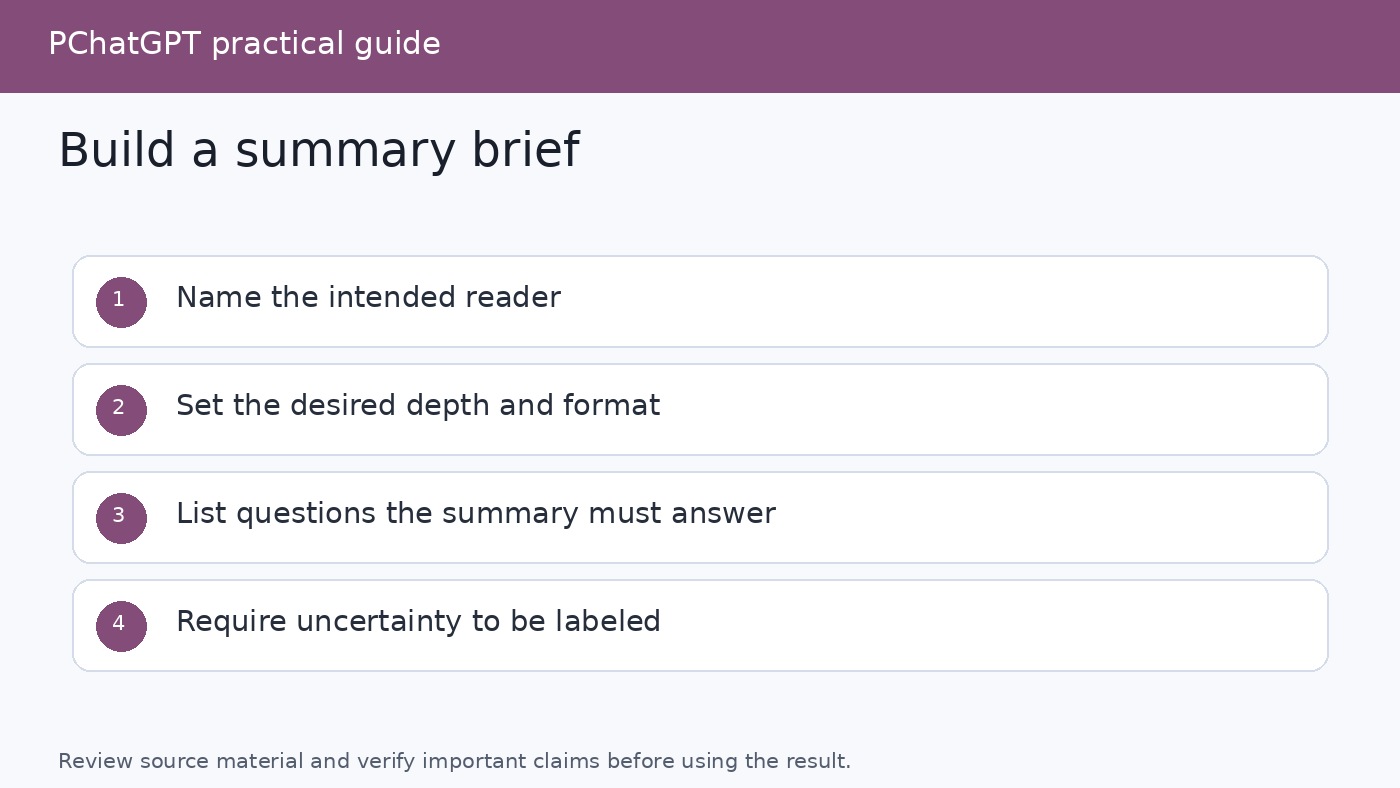
Write a summary brief before asking for the summary
“Summarize this” leaves several decisions open. ChatGPT must guess the audience, length, purpose, level of detail, and format. A summary for a manager deciding whether to fund a project is different from revision notes for a student, even when both begin with the same source.
A good brief answers these questions:
- Who will read the summary?
- What will they use it for?
- Which parts of the source matter most?
- What format should the answer use?
- How should uncertainty, missing information, quotations, and citations be handled?
Use a prompt such as this:
Summarize only the attached document for a project manager who needs to decide whether to investigate the proposal. Start with a concise overview, then list the main claim, supporting evidence, assumptions, risks, unresolved questions, and recommended follow-up checks. Preserve important dates, names, and figures exactly as written. Label anything that the source does not establish as “not stated in the source.” Do not add outside facts. After each major point, cite the page, section heading, or another location marker that I can verify.
This prompt separates content from presentation. It also gives ChatGPT permission to say that something is absent. That is important because a polished answer can otherwise blur the difference between what the source says and what seems plausible.
If you want to improve prompts beyond summarization, see How to Ask ChatGPT Better Questions. For a broader process that connects research, writing, and review, use the ChatGPT How-To Guide for Research, Writing, and Automation.
Ask for a source map before a polished summary
For important work, begin with an inventory. Ask ChatGPT to identify the document title, author if stated, publication date if stated, section headings, appendices, tables, and apparent gaps in the extracted text. A source map catches obvious problems before they are hidden inside smooth prose.
A useful first request is:
Before summarizing, map the source. List its title, stated author and date, major sections, and the location of tables or appendices. Note any pages, passages, or visual elements that appear unreadable or missing. Do not infer missing content.
Compare that map with the document. If a section is absent, fix the input before continuing. If page references are unreliable because the pasted text has no page markers, ask for section headings or distinctive opening words instead. Traceability matters more than a citation style that only looks formal.
Choose the type of summary you actually need
A single document can support several valid summaries. Choose one deliberately instead of mixing them.
- Executive brief: the conclusion, evidence, risk, and decision implications.
- Study notes: concepts, definitions, examples, relationships, and review questions.
- Meeting digest: decisions, owners, deadlines, disagreements, and open items.
- Research abstract: question, method, findings, limitations, and implications.
- Argument map: thesis, supporting claims, counterarguments, assumptions, and rebuttals.
- Extractive digest: important quotations with source locations and minimal paraphrase.
For rough notes, ask ChatGPT to distinguish an explicit decision from a suggestion. Tell it not to invent owners or deadlines. For academic reading, request separate sections for the author’s findings and your own follow-up questions. For legal, medical, financial, or other high-impact material, treat the output as an aid to review, not professional advice or a substitute for the original document.
Handle very long material with controlled chunks
If the whole source cannot be handled reliably in one pass, or if an upload produces an incomplete map, split the text at meaningful boundaries. Use sections, chapters, agenda items, or dated note blocks. Avoid cutting a paragraph, table, quotation, or argument in half.
Use the same brief for every chunk and label each part consistently. Include the document title, part label, section heading, and source location. Ask for structured notes rather than a finished overall summary:
This is Part [label] of [document title], covering [section or pages]. Create provisional source notes only. Record the main claim, evidence, named entities, dates, figures, qualifications, contradictions, and useful quotations with locations. Do not write the final document summary yet. Do not carry a claim into another section unless that later section repeats or supports it.
Once every part has provisional notes, ask ChatGPT to consolidate those notes. The consolidation prompt should remove duplicates while preserving disagreements and changes in emphasis:
Combine the provisional notes into a source-wide outline. Merge duplicate points, but do not merge claims that differ in scope or certainty. For each major conclusion, identify which parts support it. Flag contradictions, missing transitions, and points supported by only one part. Then draft the requested summary from this outline only.
This staged method reduces a common failure: a vivid detail from one section dominating the whole summary. It also makes correction easier because you can return to the affected section instead of starting again.
Preserve claims, numbers, and uncertainty
Compression can accidentally increase certainty. “May improve retention in this sample” can become “improves retention.” A preliminary observation can become a conclusion. An estimate can lose the assumptions that produced it. Tell ChatGPT to preserve the source’s strength of language, including words such as “may,” “suggests,” “estimated,” and “under the stated conditions.”
Ask for a claim table before final prose when accuracy matters:
| Summary claim | Source location | Evidence type | Qualifier or limitation |
|---|---|---|---|
| Main finding in plain language | Page or section | Experiment, survey, quotation, or assertion | Scope, uncertainty, or missing evidence |
Then manually compare names, dates, percentages, monetary amounts, units, and causal language with the original. If a detail is important enough to drive a decision, read the surrounding passage too. A number can be copied correctly but summarized misleadingly when its denominator or timeframe disappears.
Use quotations and citations as verification tools
Ask for short quotations only when the exact wording matters. Require a location and enough surrounding context to understand each quote. Never trust quotation marks by themselves. Search the original document for the wording and verify it before publishing or relying on it.
For uploaded material, page numbers may work when they are present and extracted consistently. Section headings, table labels, paragraph openings, timestamps, or note dates can be better anchors in other sources. Ask ChatGPT to say “location unavailable” rather than create a page or section reference.
For current public information, ChatGPT search can provide links. OpenAI’s ChatGPT Search documentation says search responses may include inline citations and a Sources panel. Click those citations, open the original pages, and confirm that they support the nearby statement. Search is useful for checking whether an article has been corrected or whether a more recent official version exists, but it should not silently add outside facts to a source-only summary.
Keep the two tasks separate:
- Source summary: What does this document say?
- External verification: Do authoritative outside sources support, dispute, or update it?
If you want both, request two clearly labeled sections and citations for the external check. This prevents later readers from attributing outside information to the original author.
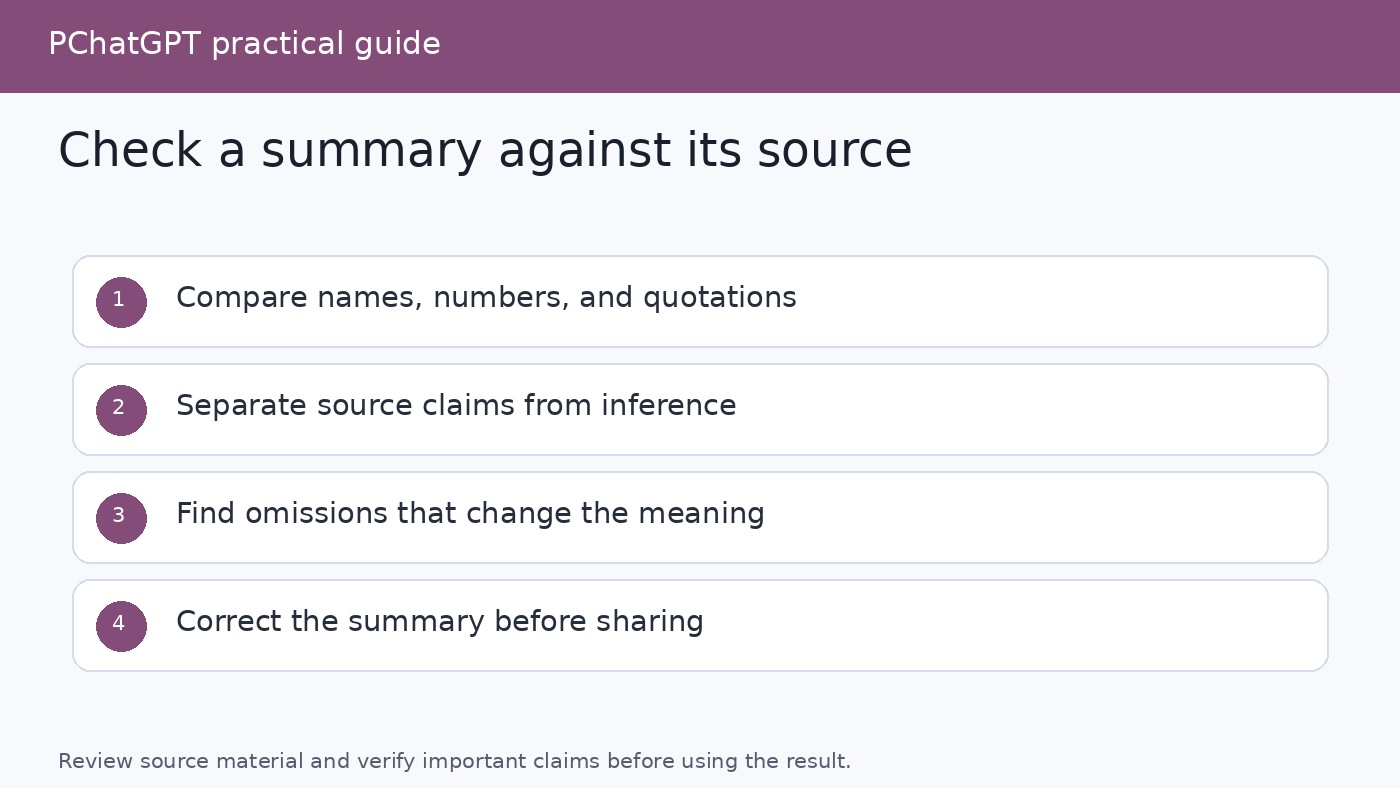
Run a fact-check pass against the source
Do not ask ChatGPT merely to “check accuracy.” Give it a mechanical comparison task. Supply the draft summary and the source in the same conversation when practical, then request a claim-by-claim audit:
Audit this draft against the provided source. Break the draft into factual claims. For each claim, mark it as directly supported, partially supported, contradicted, or not found. Quote the shortest relevant source passage and give its location. Check names, dates, figures, units, comparisons, and causal wording separately. Do not repair the draft until the audit table is complete.
After reviewing the audit yourself, ask for a corrected version. A second pass can test coverage: “Which central claims, limitations, or counterarguments in the source are missing from this summary?” Accuracy and completeness are different. A summary can contain no false statements and still omit the caveat that changes the meaning.
Finish with a human read of both texts. Check whether the opening reflects the source’s actual priority, whether examples have been mistaken for rules, and whether minority views or dissenting notes were erased. ChatGPT can accelerate comparison, but the person using the summary remains responsible for the final judgment.
Protect private and confidential material
Before pasting or uploading notes, remove information that ChatGPT does not need. That may include passwords, API keys, financial account details, health identifiers, customer records, private addresses, unpublished results, and confidential contractual terms. Replace identities with stable labels such as “Client A” when the relationship between entries matters.
For consumer ChatGPT, OpenAI’s Data Controls FAQ explains that you can turn off “Improve the model for everyone” in Settings under Data Controls. The conversations remain in history but are not used to improve ChatGPT. OpenAI also states that this account setting syncs across web and mobile.
Temporary Chat offers a different control. According to OpenAI, Temporary Chats do not appear in history, do not create memories, and are not used to improve models, although a copy may be retained for up to 30 days for safety. OpenAI also warns that data sent through a GPT action can be subject to the third party recipient’s privacy policy. Temporary Chat therefore does not make it appropriate to share material you are not authorized to disclose.
File handling also deserves attention. OpenAI’s current chat and file retention documentation says that files saved to Library are managed separately from chats, so deleting a chat does not necessarily delete a Library file. Review Library and delete saved files there when needed. Organization policies may impose stricter rules, and business workspaces can have separate retention and data controls. Follow your employer, school, or client policy first.
A repeatable end-to-end workflow
- Define the decision. Write down who needs the summary and what they will do with it.
- Prepare the source. Remove unnecessary sensitive data, confirm the file is readable, and preserve headings and location markers.
- Map the input. Ask ChatGPT to list sections and gaps before summarizing.
- Choose a summary form. Select an executive brief, study guide, meeting digest, research abstract, argument map, or extractive digest.
- State source boundaries. Tell ChatGPT whether it may use only the supplied material or may perform a separately labeled web check.
- Chunk when needed. Create consistent provisional notes for meaningful sections, then consolidate them.
- Audit claims. Compare every important statement, number, quotation, and qualifier with the source.
- Check omissions. Look for absent caveats, counterarguments, methods, and unresolved questions.
- Edit for the reader. Remove repetition and jargon without changing the source’s level of certainty.
- Keep traceability. Save the final summary with the source title, version or date, and verification anchors.
This process takes longer than a one-line prompt, but it produces something far more useful: a compact document whose important statements can be checked.
FAQ
Can ChatGPT summarize a PDF or Word document?
Yes, file upload features are designed to work with common text and document formats, and OpenAI specifically lists summarizing complex papers and documents as supported tasks. Access can vary by plan and interface. Verify the extracted structure first, especially when a file contains scans, charts, or embedded images, because text-based retrieval may not capture those visual elements.
Should I paste a long article or upload it?
Paste text when you want tight control over a manageable excerpt. Upload the file when headings, sections, comparison, or quote extraction matter. In either case, ask for a source map and specify that unsupported details must be labeled as absent. If extraction appears incomplete, divide the material at meaningful boundaries and summarize it through consistent section notes.
How do I stop ChatGPT from inventing details in a summary?
You cannot replace verification with a prompt, but you can reduce risk. Restrict the answer to the supplied source, require location markers, preserve uncertainty words, and ask for “not stated in the source” when information is missing. Then run a claim-by-claim audit and manually check important quotations, names, dates, numbers, units, and causal statements.
Is it safe to upload private notes to ChatGPT?
Assess authorization and sensitivity before uploading anything. Remove unnecessary personal or confidential information. Consumer users can turn off “Improve the model for everyone,” and Temporary Chat is not used for model improvement or saved in history, although OpenAI says a copy may be retained for up to 30 days for safety. Check Library separately for saved files, avoid third party actions unless you accept their policies, and follow your organization’s rules.