
Getting ChatGPT to write in your preferred style is less about finding one magic adjective and more about giving it a usable editorial brief. “Make it professional” leaves dozens of choices unresolved. A stronger request defines the reader, purpose, voice, structure, length, and boundaries. It also gives you a simple way to review the draft and correct what missed the mark.
ChatGPT now offers several style controls, including personality, Characteristics, custom instructions, project instructions, and directions inside the current conversation. They overlap, but they are not interchangeable. The best setup uses the broadest control for stable preferences and the current prompt for the specific piece you need today.
Start with the writing outcome, not a personality label
Before opening settings, describe what a successful draft should do. Who will read it? What should that person understand, feel, or do after reading? Where will the text appear? A customer support reply, executive summary, tutorial, and personal essay can all be “friendly,” yet each needs different pacing, vocabulary, evidence, and structure.
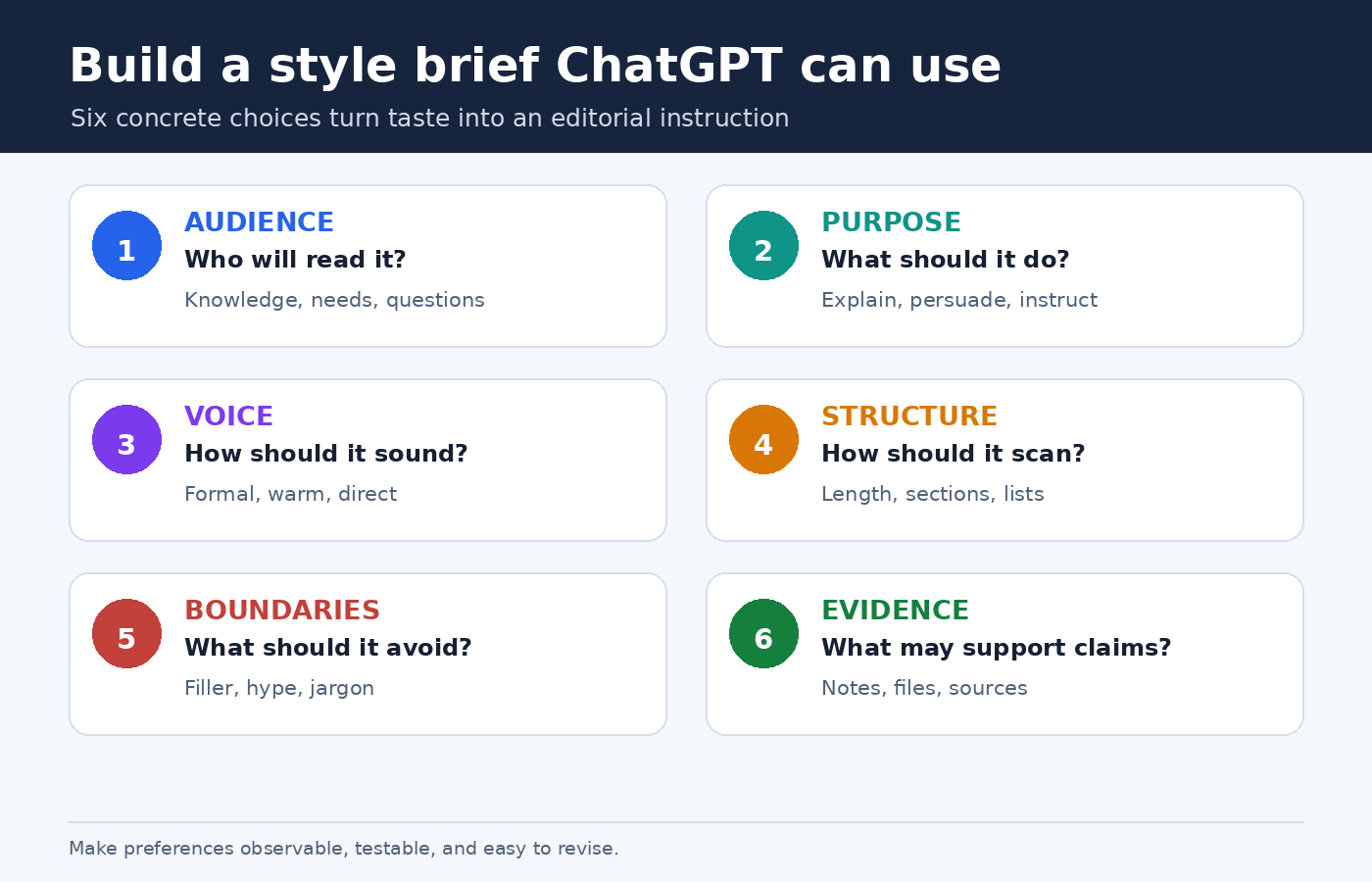
Translate taste into observable choices. Instead of asking for “my voice,” say that you want plain English, a direct opening, short paragraphs, concrete verbs, restrained enthusiasm, and no promotional claims. If you prefer depth, specify which ideas deserve explanation rather than simply asking for a long answer. OpenAI’s prompt engineering guidance for ChatGPT recommends clear, specific prompts, enough context, iterative refinement, and descriptive tone words.
- Audience: Name the reader’s knowledge, needs, and likely questions.
- Purpose: State whether the text should explain, persuade, compare, reassure, or instruct.
- Voice: Define formality, warmth, confidence, humor, and point of view.
- Shape: Set the desired length, paragraph rhythm, headings, lists, or table use.
- Boundaries: List unwanted habits, unsupported claims, jargon, or filler.
- Evidence: Tell ChatGPT which supplied facts and sources it may use.
This makes the request testable. You can inspect whether the opening is direct or whether paragraphs are short. “Sounds better” is difficult to debug; “remove the throat clearing and keep each paragraph focused on one idea” gives the next revision a clear target.
Choose the right ChatGPT style control
Use settings for preferences that should travel across work, and use prompts for instructions that belong to one deliverable. This separation prevents a standing preference from becoming an accidental rule for every task.
Base style and tone is the broadest starting point. OpenAI describes personality as the style and tone ChatGPT uses when responding. In Settings > Personalization, you can choose a base personality such as Default, Professional, Friendly, Candid, Quirky, Efficient, or Cynical. The exact list can change. OpenAI also notes that personality guides communication rather than changing capabilities or safety rules. For created content such as an email or résumé, the immediate request and context can matter more than the selected personality. See OpenAI’s current personality guide for the documented choices.
Characteristics fine tune dimensions such as warmth, enthusiasm, use of headers and lists, and emoji use. OpenAI says this feature is rolling out gradually, so it may not appear in every account. Where available, Characteristics live under Personalization and work alongside personality, custom instructions, and saved memories. Use them for broad preferences, not precise editorial rules. The official Characteristics guide shows what increasing or decreasing each setting is intended to change.
Custom instructions are better for recurring, explicit rules. On web and desktop, OpenAI directs users to Settings > Personalization, where customization can be enabled and instructions entered. On mobile, the path begins in Settings and Customize ChatGPT. OpenAI says changes apply immediately across chats, including existing conversations, while an older version can remain visible in old chat history. Put stable guidance here, such as your usual audience, spelling convention, preference for direct openings, or requirement to explain specialist terms.
Project instructions fit a particular body of work. OpenAI’s Projects guide says project instructions apply only inside that project and override global custom instructions. A project can keep related chats, files, and instructions together. This makes it a good home for a publication’s house style, a client’s terminology, or a course’s citation rules without imposing those choices on unrelated conversations.
The current prompt should always state the immediate assignment. Include the format, reader, goal, source material, and any exception to your defaults. Even a carefully configured account cannot infer that today’s internal memo must be shorter than your usual article or that this particular customer email should avoid humor.
Write a compact style brief ChatGPT can follow
A style brief does not need to be ornate. In fact, a short hierarchy of priorities is often easier to maintain than a dense list of near synonyms. Start with positive instructions that describe the desired result. Then add a few prohibitions only for habits that repeatedly cause trouble.
Reusable style brief
Write for [audience] who already know [background] but need [outcome]. Use a [formal or conversational] voice that feels [two or three specific traits]. Lead with [the main point, answer, or scene]. Prefer [sentence and paragraph pattern]. Use [headings, bullets, examples] only when they improve scanning. Define [type of unfamiliar term]. Avoid [specific unwanted habits]. Preserve all supplied facts, names, and qualifications. If information is missing, mark the gap rather than inventing it.
Notice that the template separates style from truthfulness. A confident voice should never become permission to fill gaps. If accuracy matters, identify the source material and say what to do when it does not support a claim. For broader prompt quality checks, the PChatGPT guide to common ChatGPT mistakes explains why specificity, source checking, and human review belong in the workflow.
Give priorities when rules can conflict. “Be concise” and “explain every unfamiliar term” may pull in different directions. You can resolve that by saying, “Keep the main answer under 500 words, then add a glossary for terms that cannot be replaced with plain English.” ChatGPT now has an order it can act on instead of guessing which preference matters more.
Use examples without asking for imitation
A short sample can reveal rhythm and detail that labels miss. Choose text you wrote or have permission to use. Ask ChatGPT to identify observable features, such as average paragraph length, level of formality, transitions, use of examples, and how the author handles uncertainty. Then review that analysis before asking for a new draft.
A safe and practical instruction is: “Use the sample only to infer high level traits. Do not copy phrases, distinctive metaphors, or sentence sequences.” The goal is not to reproduce another writer’s identity. It is to convert your own preferences into a checklist. When the sample contains facts unrelated to the new task, explicitly say that it is a style reference, not a factual source.
One sample can also be misleading. A short announcement may not represent how you write tutorials. Keep separate references for materially different formats, or store format specific guidance in separate projects. Compare the first output with your sample and update the brief using concrete observations. If the draft is too polished and distant, for example, ask for contractions, simpler transitions, and one concrete example per section rather than merely saying “more human.”
Draft in stages instead of demanding perfection
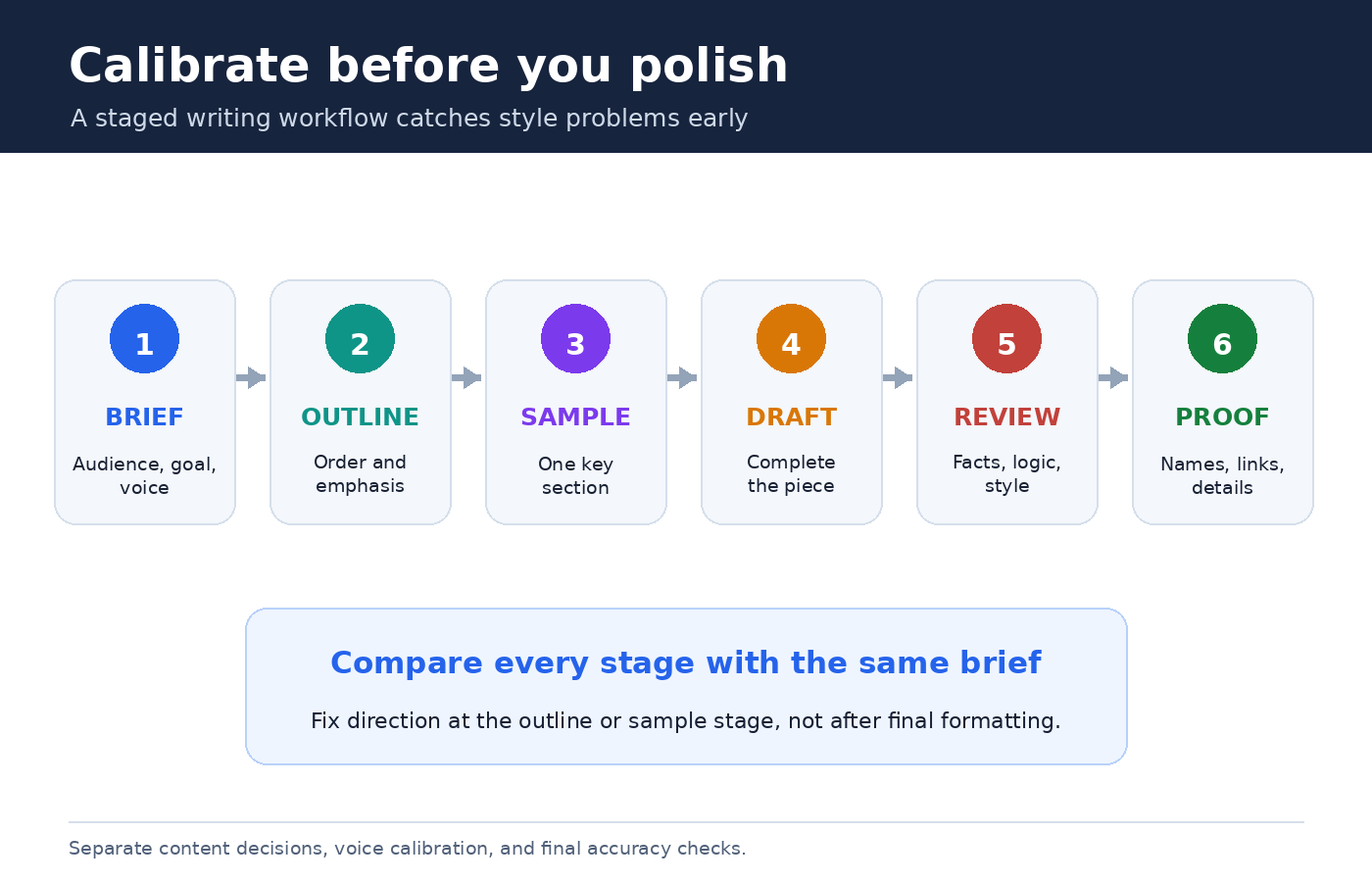
Style becomes easier to control when content decisions and sentence polishing do not happen all at once. Begin with an outline that shows the argument and order. Correct missing sections before ChatGPT invests words in the wrong structure. Next, request one representative section. If its voice is right, continue with the full draft. If not, edit the brief while the cost of revision is still low.
- Brief: Supply the audience, purpose, source material, style choices, and limits.
- Outline: Check sequence, emphasis, and whether every section earns its place.
- Calibration passage: Generate a short opening or one central section.
- Full draft: Carry the approved pattern through the remaining text.
- Editorial pass: Review facts, logic, voice, repetition, and formatting separately.
- Final proof: Read for accidental changes in names, numbers, quotations, and links.
This staged process follows OpenAI’s recommendation to refine prompts iteratively. It also makes feedback more useful. “Sentence four repeats sentence two” is actionable. “I don’t like it” is not.
Turn revision comments into durable rules
Do not paste a long emotional reaction after a weak draft. Separate diagnosis from repair. First ask what changed relative to the brief. Then name the two or three most important fixes. You might say: “The opening repeats the headline, several paragraphs begin with generic setup, and the conclusion introduces new advice. Rewrite the opening with the answer first, remove repeated setup, and make the conclusion summarize existing points only.”
After the revision, decide whether each correction is global, project specific, or temporary. A preference for US spelling may belong in custom instructions. A brand’s capitalization rules belong in its project. A one time word limit stays in the current prompt. This small housekeeping habit keeps your permanent setup from filling with contradictory exceptions.
You can also ask ChatGPT to perform a checklist review before rewriting. Have it report where the draft violates the brief, quote only the short passage needed to identify each issue, and propose a fix. Review that diagnosis yourself. Then authorize the rewrite. This gives you a chance to reject an incorrect interpretation before it spreads through the document.
Resolve conflicts between personality, instructions, and context
When the output seems inconsistent, look for competing guidance. OpenAI says personality works alongside saved memories and custom instructions, and that instructions in a conversation can adjust or obscure personality behavior. Project instructions override global custom instructions inside the project. A saved preference for serious professional responses can also reduce the visible effect of a different personality.
Troubleshoot from the most local layer outward. Read the current prompt for conflicts. Check project instructions if the chat is in a project. Review global custom instructions and saved memory. Finally, inspect personality and Characteristics. Do not change every setting simultaneously. Change one layer, start a clean test prompt if needed, and compare the result against the same short task.
For recurring work, the PChatGPT tutorial on setting custom instructions in ChatGPT offers a complementary workflow for deciding what belongs in account settings and what should remain in a prompt.
A complete prompt you can adapt
You are helping me draft a 700 word guide for first time small business owners. Explain how to prepare a simple project brief. The reader is capable but unfamiliar with agency terminology. Open with the practical benefit in two sentences. Use plain US English, short paragraphs, and calm confidence. Prefer concrete examples to abstract claims. Use descriptive headings and one checklist. Do not use hype, rhetorical questions, or invented statistics. Base factual claims only on the notes below. If a note is ambiguous, flag it in brackets. First provide a six point outline. Wait for my approval before drafting the article. After drafting, audit it against these requirements and list any remaining concern.
This prompt controls audience, purpose, format, language, evidence, and workflow. Adapt the parts that actually matter. Adding twenty rules to every prompt can create more conflict than clarity. A short, ordered brief plus a deliberate review usually produces a more stable voice.
Frequently asked questions
What is the fastest way to change ChatGPT’s writing tone?
For one response, state the tone and observable traits directly in the prompt, such as “friendly but restrained, answer first, short paragraphs, no emojis.” For a broad account preference, choose a Base style and tone in Personalization. If available, Characteristics can adjust dimensions such as warmth, enthusiasm, formatting, and emoji use.
Should I put my entire style guide in custom instructions?
Usually not. Put stable, account wide preferences in custom instructions. Keep publication, client, or course rules in project instructions and relevant reference files. Put the current deliverable’s audience, purpose, format, sources, and exceptions in the prompt. This makes conflicts easier to spot and maintain.
Why does ChatGPT ignore my selected personality when writing an email?
OpenAI says created content can follow your instructions and the request’s context rather than the selected personality. Custom instructions, saved memories, project instructions, and directions in the conversation can also influence or override the visible style. Review those layers for conflicts and make the email’s desired tone explicit.
Can I give ChatGPT a sample of my writing?
Yes, if you have the right to use it. Tell ChatGPT that the sample is a style reference, not a factual source. Ask it to extract high level traits, review the analysis, and prohibit copying distinctive phrases or sentence sequences. Remove confidential or unnecessary personal information before sharing any sample.