

ChatGPT is most useful for social media when you treat it as a drafting partner, not a one-click publisher. A strong process begins with a real communication goal, gives the model reliable source material, generates several distinct angles, and ends with a human checking every line before anything enters a schedule.
This guide shows a repeatable workflow for creating social media captions and post ideas without depending on platform-specific tricks. You can use it for a product update, event, article, customer story, hiring message, or educational series. The method also works whether you publish alone or pass drafts to an editor.
What ChatGPT should and should not do in this workflow
Give ChatGPT the parts of the job that benefit from rapid variation: finding angles in approved material, producing hooks, reshaping one message for different audiences, and testing alternate tones. Keep judgment-heavy decisions with a person. Those decisions include whether a claim is true, whether a quotation is accurate, whether a joke fits the moment, whether a call to action is appropriate, and whether a post is ready to represent the brand.
This division matters because fluent copy can still contain an unsupported detail. It also protects the distinctive parts of your voice. ChatGPT can offer options quickly, but you decide which option deserves attention and what needs to be rewritten.
- Use ChatGPT for: brainstorming, grouping themes, drafting alternatives, compressing or expanding copy, and turning feedback into a revision.
- Do yourself: source approval, fact checking, legal or policy review, final voice editing, accessibility review, and scheduling.
- Do not provide casually: private customer records, passwords, confidential plans, or personal information that is not needed for the task.
OpenAI explains that consumer ChatGPT content may be used to improve models depending on your settings, and that users can opt out through Data Controls. It also says Temporary Chats do not appear in history, do not use or create memories, and are not used to train models. Review your own settings and your organization’s rules before adding business material.
Build a compact caption brief before you prompt
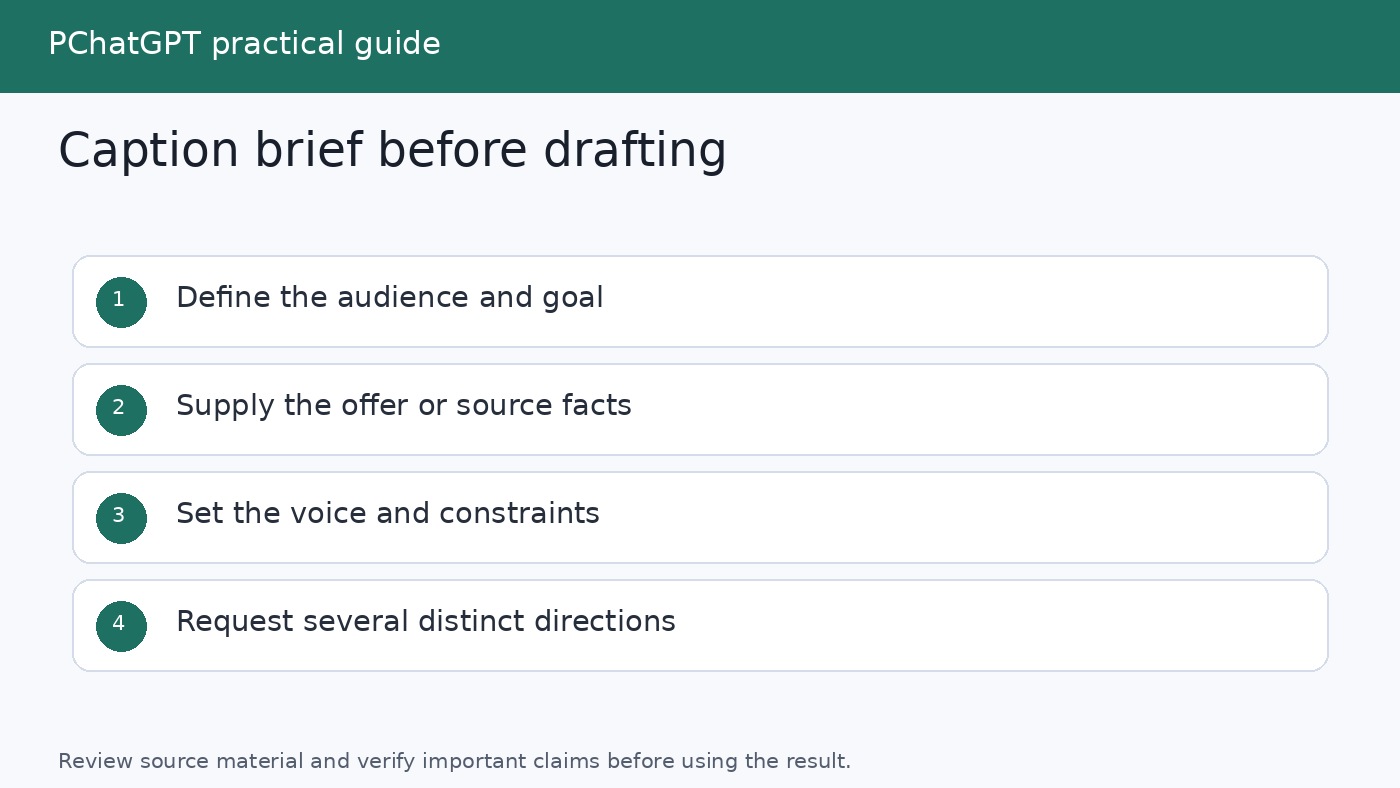
A vague request such as “write five social posts” leaves too many decisions unstated. ChatGPT must guess the audience, purpose, evidence, voice, and desired response. OpenAI’s prompt guidance recommends clear, specific instructions with enough context, along with iterative refinement. A compact brief provides that context without turning the prompt into a maze.
Create one brief for each campaign or source item. Keep facts separate from stylistic wishes so an editor can see what is fixed and what is flexible.
| Brief field | What to provide | Example |
|---|---|---|
| Goal | The communication result you want | Encourage readers to open the new tutorial |
| Audience | Who should understand or care | Small teams building their first content process |
| Source facts | Approved facts, quotes, dates, and links | A pasted article summary and its canonical URL |
| Core message | One sentence the post must communicate | A review checklist makes AI-assisted drafts safer to publish |
| Voice | Concrete traits and traits to avoid | Practical, warm, plainspoken; never breathless or smug |
| Constraints | Length, required wording, and exclusions | 70 to 110 words; no invented statistics; no hashtags yet |
| Action | What the reader can do next | Read the complete checklist |
A small set of real examples is often more useful than a pile of adjectives. Paste two approved captions and explain what makes them representative: short openings, concrete verbs, restrained punctuation, or a particular rhythm. Remove sensitive information first. If the examples conflict, say which one has priority.
Set up a reusable working space
For a recurring content stream, a ChatGPT Project can keep related chats, uploaded reference files, and project instructions together. OpenAI describes Projects as workspaces for repeated and evolving work, including writing, and says project instructions apply inside that project. This makes a Project a practical home for an approved voice guide, product terminology, campaign brief, and revision notes.
A simple project instruction might read:
You help draft social copy from supplied sources. Never add facts, quotations, dates, prices, results, or customer details that are absent from the source. Use plain English, varied sentence lengths, and specific verbs. Return options in the requested table. Flag missing information instead of guessing.
If you do not use Projects, keep the brief and working prompts in a document. Global Custom Instructions can hold durable preferences that should affect many conversations, while campaign details belong in the current prompt or project. OpenAI says custom instructions let you tell ChatGPT what to consider in its responses and can be edited or deleted for future conversations.
For more ways to get past the blank page, see The Best Ways to Use ChatGPT for Brainstorming. If you want to organize prompts that survive beyond one campaign, the site’s guide to building a reusable ChatGPT prompt library is a useful companion.
Step 1: Turn source material into a fact sheet
Do not jump from a long article or launch document directly to polished captions. First ask ChatGPT to extract a fact sheet that you can compare with the source. This intermediate step makes unsupported claims easier to notice.
Use a prompt like this:
Read the source below and create a fact sheet for social copy. Separate: confirmed facts, exact quotations, dates, names, approved terminology, useful examples, and calls to action. For each item, quote the supporting source passage. List any ambiguity under Questions. Do not infer missing details. Source: [paste approved material]
Compare every item with the original. Delete anything that stretches the meaning. If the source is time-sensitive, you can ask ChatGPT Search to find current information, but inspect the cited pages yourself and prefer the organization or publisher responsible for the claim. OpenAI says search responses may include inline citations and a Sources panel with relevant links. Citations help you trace a statement; they do not remove the need to read the source.
Once verified, paste the clean fact sheet into a fresh drafting prompt and label it clearly: “Use only these approved facts.” This gives later revisions a stable boundary.
Step 2: Generate angles before captions
A common mistake is asking for 20 captions and receiving 20 lightly rearranged versions of the same sentence. Generate strategic angles first. An angle is the reason a particular reader might care, not merely a different opening line.
Ask for a manageable set:
Using only the approved fact sheet, propose 12 genuinely different post angles. Include: reader problem, useful lesson, behind-the-scenes process, common mistake, question, concise announcement, and story-led angle where the source supports them. For each, give the audience need, the key source fact, and a one-sentence concept. Do not draft captions yet. Mark any angle that lacks enough evidence.
Review the list and choose three to five angles that serve the campaign goal. Remove options that depend on fear, fake urgency, a made-up personal story, or a promise the source cannot support. Combining two strong angles can work, but each caption should still have one clear center.
This separate ideation stage also makes feedback more precise. Instead of saying “make it better,” you can say “keep the practical lesson, but open with the reader’s recurring problem.” OpenAI recommends working iteratively, reviewing an initial response, and refining the prompt with added context or simpler instructions.
Step 3: Draft structured caption options
Now ask for captions from the selected angles. Define the output so comparison is easy. A table works well because it exposes whether each draft has a distinct hook, message, and action.
Draft two caption options for each selected angle. Use only the approved fact sheet. Each caption needs: a specific opening, one main idea, useful supporting detail, and a natural next step. Keep the tone practical and conversational. Avoid hype, generic motivational language, fabricated experience, and unsupported claims. Return a table with angle, caption, source facts used, and editor note. If a required fact is missing, write [NEEDS SOURCE] rather than inventing it.
Requesting the “source facts used” column is not a guarantee of accuracy, but it creates a quick audit trail. You can compare the claim list against your approved fact sheet before spending time polishing a draft.
Do not ask ChatGPT to sound “human” and stop there. Describe observable choices: contractions are welcome, openings should vary, sentences should not all have the same length, and the copy should avoid empty phrases. Name phrases your brand overuses. Include a good example and a bad example when the distinction is hard to express.
Step 4: Adapt one approved idea without losing its meaning
Adaptation should change presentation, not evidence. Once one master caption is approved, create variants for different audience states or placements without relying on claims about any particular platform.
| Variant | Change | Keep fixed |
|---|---|---|
| Quick version | Compress to one insight and one action | Core claim and destination |
| Educational version | Add a short process or checklist | Approved facts and terminology |
| Conversation version | Close with a genuine, answerable question | Main point and honest context |
| Story version | Lead with a sourced moment or sequence | Who did what and what happened |
| Follow-up version | Answer one likely reader concern | Limits, qualifications, and source link |
Use this prompt:
Create the five variants in the table above from the approved master caption. Preserve every factual qualification. Do not introduce new examples or results. After each version, list what you changed and confirm which source facts remain. Make the versions meaningfully different, not simple synonym swaps.
If tone consistency is a recurring problem, read the site’s ChatGPT Custom Instructions guide, then keep temporary campaign rules out of permanent preferences.
Step 5: Run three focused review passes
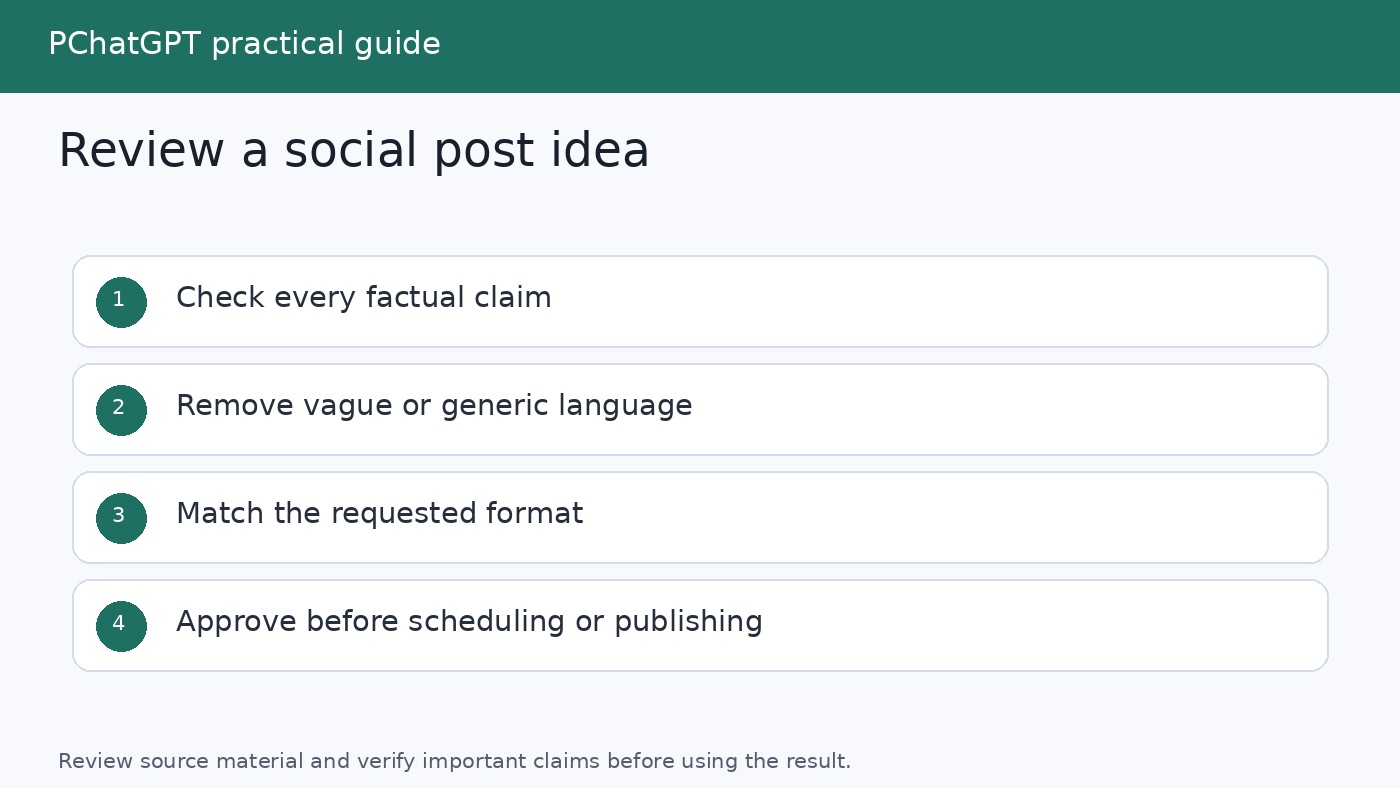
A single request to “proofread this” mixes several kinds of judgment and can hide what changed. Use separate passes, then make the final decision yourself.
- Evidence pass. Ask ChatGPT to list every factual claim, number, date, quotation, comparison, and promise. Require a matching line from the approved fact sheet. Treat unmatched items as deletion or sourcing tasks.
- Voice pass. Look for vague openings, inflated adjectives, repetitive sentence shapes, excessive questions, unexplained jargon, and calls to action that feel bolted on. Ask for targeted rewrites, not a complete replacement.
- Publication pass. Check names, links, spelling, formatting, consent, disclosure needs, brand policy, and whether the visual and alt text match the caption. Read the copy aloud. Confirm that the destination page supports what the caption promises.
A useful evidence prompt is:
Audit this caption against the approved fact sheet. Return three lists: supported claims with matching evidence, unsupported or overstated claims, and subjective language that could be mistaken for fact. Do not rewrite yet.
Then repair only the flagged lines. Broad rewrites can quietly introduce new errors after you have already checked the draft.
Step 6: Build a schedule-ready content queue
ChatGPT can help organize approved ideas into a draft calendar, but scheduling should happen only after review. Give it the publishing slots you control, your campaign phases, content categories, and any hard dates from the approved brief. Do not ask it to invent the best posting time or make unsupported assumptions about audience behavior.
Arrange these approved captions into the supplied publishing slots. Balance the categories so similar themes do not appear back to back. Preserve all caption text exactly. Return date, working title, goal, audience, caption ID, asset needed, destination URL, owner, and approval status. Leave missing fields blank. Do not publish or schedule anything.
Move only entries marked approved into your own calendar or scheduling tool. Keep a stable caption ID so edits, assets, links, and approvals stay attached to the correct item. If a late fact changes, search the queue for every caption based on it and return those items to review.
A lightweight status system is enough: Idea, Drafted, Fact Checked, Voice Edited, Approved, Scheduled, Published. Record who approved the final text and when. This makes the workflow repeatable without pretending that generation and publication are the same step.
A complete prompt chain you can reuse
- Paste the brief and approved source material. Ask for a source-linked fact sheet.
- Verify the fact sheet manually and remove unsupported items.
- Ask for 12 distinct angles, not captions.
- Select the angles that fit the goal and audience.
- Request two structured caption options per angle.
- Choose a master draft and request only specific revisions.
- Create short, educational, conversational, story, and follow-up variants.
- Run evidence, voice, and publication review passes.
- Give approved captions IDs and place them in a schedule-ready table.
- Transfer approved rows to your calendar or scheduler and retain the source record.
Save prompts that consistently help, along with one strong output and the editor’s corrections. Over time, those corrections reveal better rules than generic prompt collections. If every caption starts with a question, add a rule requiring varied openings. If the model adds unsupported benefits, tighten the fact boundary. If calls to action feel abrupt, provide two approved examples.
FAQ
Can ChatGPT write captions directly from a URL?
If current web information is needed, ChatGPT Search can return timely answers with source links, and search responses may show inline citations or a Sources panel. For dependable drafting, still confirm that the page was read correctly, extract an approved fact sheet, and check every claim against the original page. A link is useful context, not automatic approval of everything inferred from it.
How many caption options should I ask for?
Ask for enough variety to compare without creating an unmanageable review pile. A practical starting point is 12 angles, followed by two captions for each angle you select. The valuable distinction is between angles, not the raw number of drafts. If the options repeat one idea, return to the angle stage rather than requesting more captions.
How do I keep captions consistent with my brand voice?
Provide a brief voice description, two or three approved examples, a list of habits to avoid, and a clear output format. For recurring work, keep stable guidance in Custom Instructions or project instructions and put temporary campaign facts in the current project or prompt. Always finish with a human voice edit because consistency involves context and judgment, not just word choice.
Can ChatGPT schedule and publish the finished posts for me?
This workflow uses ChatGPT to prepare a schedule-ready table, not to publish. Transfer only approved copy to the calendar or scheduling system your team already controls. Check dates, destination links, assets, permissions, and approval status at the point of transfer. Keeping that final step explicit reduces the chance that an unchecked draft becomes public.