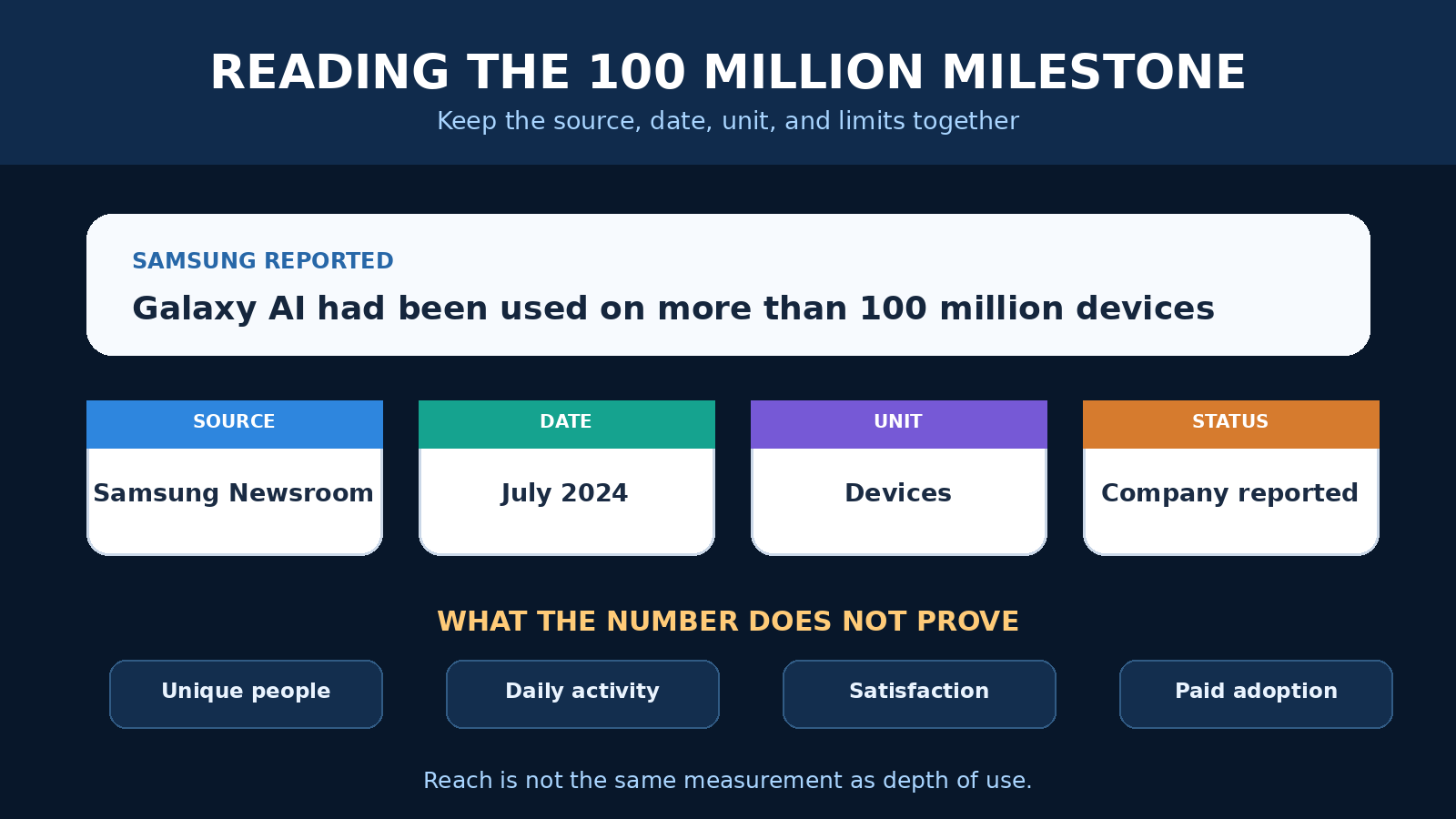
Samsung’s Galaxy AI story is often summarized with a striking number: 100 million. The wording matters. In July 2024, Samsung said Galaxy AI had been used on more than 100 million devices since its launch earlier that year. That is not the same as 100 million distinct people, daily users, or paid subscribers. A phone, tablet, and foldable can belong to one person, and Samsung did not publish a methodology that turns the device count into a user count.
The corrected milestone is still important. Galaxy AI debuted with the Galaxy S24 series and then reached older compatible products through One UI updates. Samsung moved a collection of translation, search, note, transcription, and image tools from a flagship launch into a much wider installed base within months. The useful lesson is not that every feature runs locally, or that a large device count proves satisfaction. It is that mobile AI became a software distribution story as much as a new phone story.
This guide explains what Samsung actually reported, how Galaxy AI combines on-device and cloud processing, what the privacy control does, and what owners should check before relying on a feature. Claims about availability, accuracy, and data handling can change with the device, operating system, language, market, account, and feature. Treat the menus and notices on your own updated device as the final operational reference.
What the 100 million Galaxy AI figure actually measured
Samsung first framed 100 million as a goal. In its February 2024 One UI 6.1 announcement, the company said it planned to bring the experience to more than 100 million Galaxy users during 2024. That announcement covered an update for the Galaxy S23 series, S23 FE, Z Fold5, Z Flip5, and Tab S9 series, following the initial Galaxy S24 release.
By July, Samsung used a different and more concrete formulation. Its official Galaxy AI research recap said the technology had been used on more than 100 million devices. The same article said Samsung expected to reach 200 million devices by the end of 2024. The 100 million statement is therefore best described as a company reported device milestone, not an independently audited count of individual users.
This distinction prevents several misleading conclusions. A device count does not tell us how often each feature was opened. It does not reveal retention, satisfaction, accuracy, or whether people continued using a tool after trying it once. It also does not isolate Samsung developed functions from partner features under the broader mobile experience. The milestone documents reach. It does not, by itself, measure depth of use.
It is also a historical snapshot. Later Samsung announcements described broader device ambitions, but those later targets do not rewrite what the July 2024 statement meant. A reliable reading keeps the date, unit, and attribution together: Samsung reported in July 2024 that Galaxy AI had been used on more than 100 million devices.
How Galaxy AI expanded beyond the S24 launch
Galaxy AI arrived as a group of capabilities rather than one universal assistant. Samsung’s expansion strategy used software updates to bring selected tools to compatible earlier hardware. Its April 2024 expansion notice listed the Galaxy S22 series, Z Fold4, Z Flip4, and Tab S8 series for a One UI 6.1 rollout. It named features including Circle to Search with Google, Chat Assist, Interpreter, Live Translate, Note Assist, Transcript Assist, Browsing Assist, Generative Edit, Edit Suggestion, and AI generated wallpaper.
That list should not be read as a permanent compatibility table. Samsung’s own notes repeatedly qualify availability by model, market, language, operating system, and account requirements. Some features need a network connection. Some require a Samsung Account. Some partner services have their own conditions. An older model may receive a subset, while a newer feature may depend on hardware that the older product lacks.
For owners, the practical question is not simply, “Does my phone have Galaxy AI?” Ask which exact function is available on this model and software build, which app exposes it, what language it supports, and whether it needs the network. Check for system and app updates, then read the notice shown at first use. Marketing labels group the experience, but the individual tools have different requirements.
The broad rollout also explains why the milestone grew quickly. Samsung did not have to wait for 100 million people to buy a new S24. Updates could add selected experiences to devices already in customers’ hands. This is a repeatable pattern for mobile AI: capable hardware, operating system distribution, account services, model delivery, and regional support all shape reach.
Galaxy AI is hybrid, not exclusively on-device
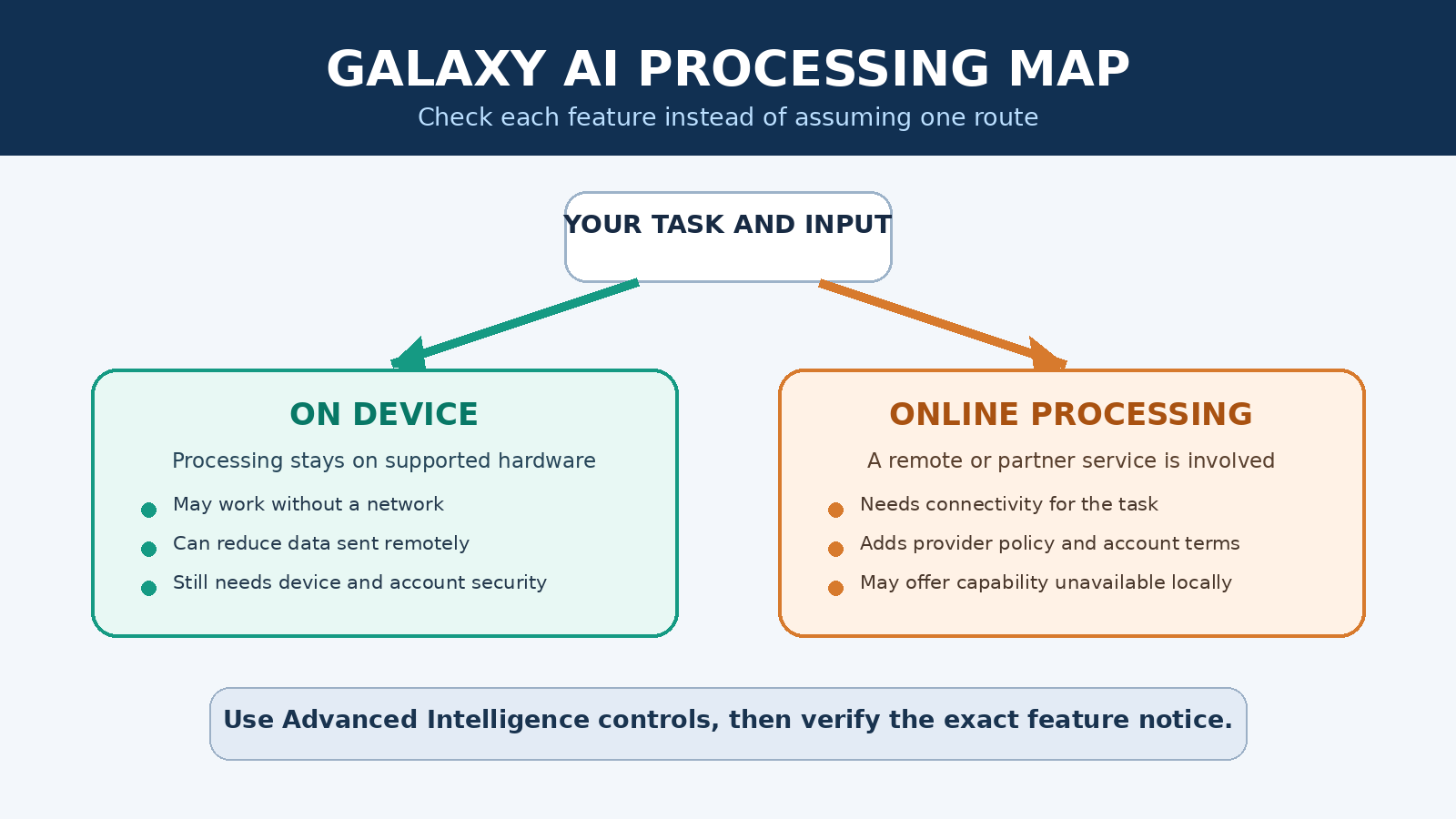
The phrase “on-device AI” is useful but easy to overextend. It means the relevant processing for a task occurs on the phone or tablet rather than requiring that input to be processed on a remote server. Local processing can support faster response, offline operation for some functions, and a narrower path for sensitive input. It does not mean every feature bearing the Galaxy AI name works locally.
Samsung has consistently described Galaxy AI as hybrid. Some work runs on the device, while other work uses online processing. Translation is a good illustration of the local side. Samsung’s research recap discussed automatic speech recognition, neural machine translation, and text to speech models developed for languages and regional variations. The engineering problem includes far more than swapping words. Speech, dialect, tone, idiom, punctuation, and pronunciation affect the result.
Generative editing illustrates the cloud side. Samsung’s product notes say Generative Edit requires a network connection and Samsung Account login, and warn that generated output may be resized and marked to indicate AI generation. The notes also say accuracy and reliability are not guaranteed. A feature can combine local preparation with remote processing, so a simple local or cloud label may still omit part of the route.
Circle to Search with Google also shows why provider identity matters. It is presented in the Galaxy experience but is a Google service and requires an internet connection. Users should distinguish Samsung features, Google features, and any other integrated service. The relevant privacy notice and account terms can depend on which provider processes the request.
If you want a wider framework for comparing mobile assistants rather than treating every app as interchangeable, PChatGPT’s mobile AI apps guide covers workflow fit, privacy review, and implementation questions. The same discipline applies here: evaluate a named feature and a named task, not the broad promise of “AI on your phone.”
What can stay on the device, and what may need the cloud?
A feature’s processing route depends on its design and configuration. Samsung’s current Galaxy AI privacy explanation identifies Live Translate, Interpreter, and Audio Eraser as examples that can operate on-device. It describes Generative Edit as using on-device capabilities while also calling on cloud AI when needed for more intensive work. That is more precise than claiming Galaxy AI as a whole is local.
Local processing has meaningful advantages, but it is not a complete privacy guarantee. The device still contains the input and output. Screenshots, synced galleries, backups, sharing actions, app permissions, notification previews, and another person holding an unlocked phone can expose data. Device security, account security, app permissions, and careful sharing remain relevant even when a model runs locally.
Cloud processing is not automatically unsafe either. It adds a remote service, transmission, and provider policy to consider. The right questions are what data leaves the device, which company receives it, why it is needed, how long it is retained, whether it is used for training, and what controls apply. Samsung states in its privacy explanation that personal data used by these Galaxy AI experiences is not stored long term or used for AI training. That is a vendor policy statement, not a reason to upload data that your employer, client, or law does not allow you to share.
For sensitive work, start with data minimization. Remove names and identifiers that are not needed. Use a short excerpt instead of a whole confidential file. Avoid entering credentials, private health information, financial account details, legal secrets, or customer records into a feature unless you have confirmed that the workflow is approved. PChatGPT’s AI tool selection guide offers a practical checklist for retention, training, access, export, and deletion questions.
How to use the Process data only on device setting
Samsung documents a user control for restricting online processing by supported intelligence features. In its Advanced Intelligence settings guide, Samsung gives this path: open Settings, choose Advanced features, open Advanced intelligence, and look for “Process data only on device.” The company notes that availability can vary by device model, operating system, and market.
Turning this option on should be understood as a processing preference for supported Galaxy AI features, not as airplane mode and not as a universal firewall. Functions that require online processing may become unavailable or lose capability. Other apps and services can still use the network under their own permissions and settings. A Google service, web browser, backup service, or third party app is not necessarily governed by a Samsung Advanced Intelligence switch.
- Update first. Install current system and relevant app updates from trusted device menus. Setting names and available features can change across One UI releases.
- Open the control. Go to Settings, Advanced features, then Advanced intelligence. Read the description shown on your device rather than relying only on an older screenshot.
- Enable local only processing if it fits your goal. Note any warning about features that will be limited. Do not assume all tools remain available.
- Test a low-risk example. Try a short, non-sensitive translation or edit. If the function asks for a network connection or account, stop and review what service it needs.
- Review other privacy layers. Check app permissions, Samsung and Google account settings, sync, backups, gallery sharing, and lock screen protection separately.
If the toggle is missing, that does not prove your device has no local AI. It may reflect the model, region, software version, or feature set. Conversely, seeing the toggle does not prove every intelligence function is local. Use the feature’s own notice and Samsung support information for your exact product.
How to evaluate Galaxy AI output without overtrusting it
Samsung’s product notices state that AI output may be inaccurate, incomplete, or unreliable. That limitation should shape how the tools are used. Translation can miss context, names, technical terms, politeness levels, or dialect. A summary can omit a qualification. A transcript can confuse speakers. An image edit can invent or remove visual details. Smooth output is not the same as verified output.
Use the tools for reversible assistance first. Translating a casual phrase, organizing personal notes, or suggesting an edit gives you room to inspect and retry. Raise the review standard for medical, legal, financial, employment, safety, or contractual material. A qualified person should check consequential text against the original, and people in a conversation should know when machine translation may affect meaning.
For summaries, retain the source and compare important statements. For transcripts, replay sections containing names, numbers, dates, and commitments. For image edits, keep the original and disclose material alteration when context requires it. For search results, open the source rather than treating the generated surface as evidence. These habits do not make the model perfect. They keep an error from quietly becoming a decision.
What the milestone tells us about mobile AI
The 100 million device claim matters because it demonstrates the leverage of a large hardware and update ecosystem. Samsung could expose many people to AI features through familiar apps and existing products. Translation in the phone app, formatting inside notes, and editing in a gallery require less behavior change than a separate experimental service.
It also shows why adoption numbers need definitions. Installed, available, activated, tried, used, regularly used, and paid are different measurements. Samsung’s wording supports the claim that Galaxy AI had been used on more than 100 million devices by July 2024. It does not support claims about 100 million daily users, universal feature use, customer satisfaction, or a wholesale shift to local processing.
The technical lesson is similarly balanced. On-device models are a meaningful part of the design, especially for selected communication and editing functions. Cloud models remain part of the suite where larger resources or partner services are needed. The resulting product is hybrid, with tradeoffs in capability, connectivity, privacy, battery use, speed, and availability.
For buyers, the best comparison starts with a task. If translation matters, check supported languages, offline behavior, the apps where it works, and the accuracy limits. If photo editing matters, check network and account requirements, output marking, resolution notes, and whether the original is preserved. If privacy matters, verify the local-only control and each service involved. A brand level promise is less useful than a feature level map.
FAQ
Did Samsung report 100 million Galaxy AI users?
Samsung said in July 2024 that Galaxy AI had been used on more than 100 million devices. An earlier announcement had stated a goal of reaching more than 100 million users during 2024. The achieved figure should not be rewritten as 100 million unique or active users because Samsung’s published wording used devices.
Does every Galaxy AI feature run on the device?
No. Samsung describes a hybrid system. Some features can process relevant inputs locally, while others require or can use online services. Generative Edit and Circle to Search are examples with network requirements in Samsung’s notices. Check the requirement for the exact feature, model, software version, and region.
What happens if I enable Process data only on device?
Supported intelligence features are restricted from online processing, and functions that depend on the cloud may be limited or unavailable. The setting is not a network block for the entire phone. Other apps, account services, backups, and web activity still have separate controls.
How can I check whether my Galaxy device supports a feature?
Install current software, open Settings and the relevant Samsung app, and review the feature’s own notice. Samsung says availability can vary by model, operating system, market, language, and account. Use official support information for your exact device rather than assuming that every model receives the same Galaxy AI package.
The practical takeaway
Galaxy AI’s 100 million milestone is credible when stated with Samsung’s own unit and date: more than 100 million devices had used Galaxy AI by July 2024. The original user framing is too broad. Correcting it does not make the rollout unimportant. It makes the evidence useful.
The larger story is a hybrid mobile AI platform distributed through both new hardware and software updates. Selected tasks can stay on the device, while other tasks use cloud processing or partner services. Owners have a local-only option on supported devices, but that control can reduce functionality and does not govern every app on the phone.
Use Galaxy AI at the level where its controls and limitations are visible. Name the feature, check the processing path, minimize sensitive input, preserve originals, and verify consequential output. That approach is less dramatic than declaring the arrival of fully private AI, but it is far more helpful for anyone deciding what the technology should do on a real phone.